www.element14.com
www.farnell.com
www.newark.com
Page <7> V1.118/06/18
MC-I20 User Manual & Troubleshooting
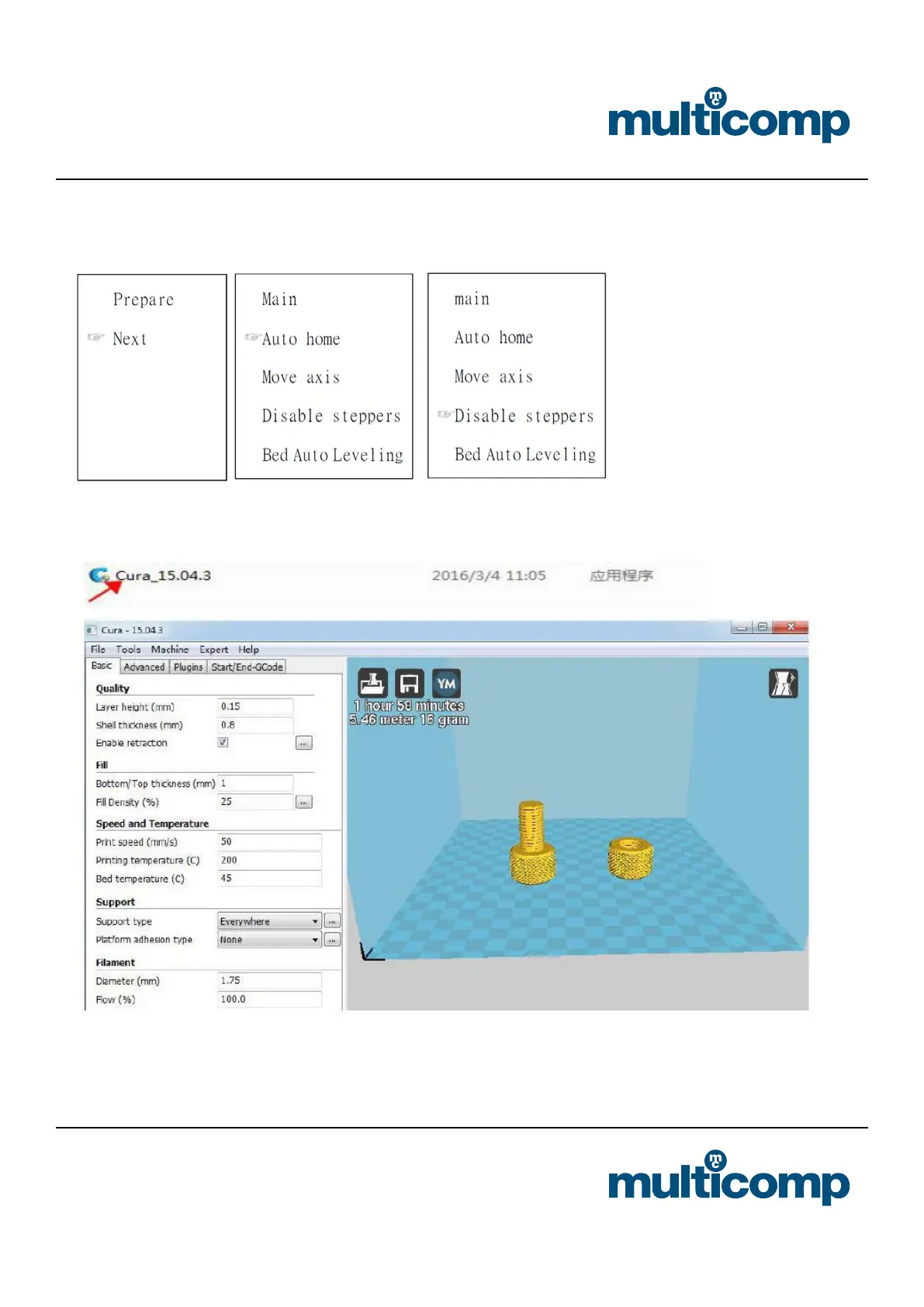
b. After choose the command, according to the screen, by rotating platform of screws, check the platform with a horizontal
nozzle of A4 paper. Choosing “Auto home”>> “ Disable steppers”, Then you move the nozzle, you may nd that there are
shallow scratches on the paper.
6. Install Software
Double click Install Package. Details refer to the software description from SD card.


 To Next Page