www.element14.com
www.farnell.com
www.newark.com
Page <8> V1.118/06/18
MC-I20 User Manual & Troubleshooting
7. Printing
a. Choose “Print from SD”.
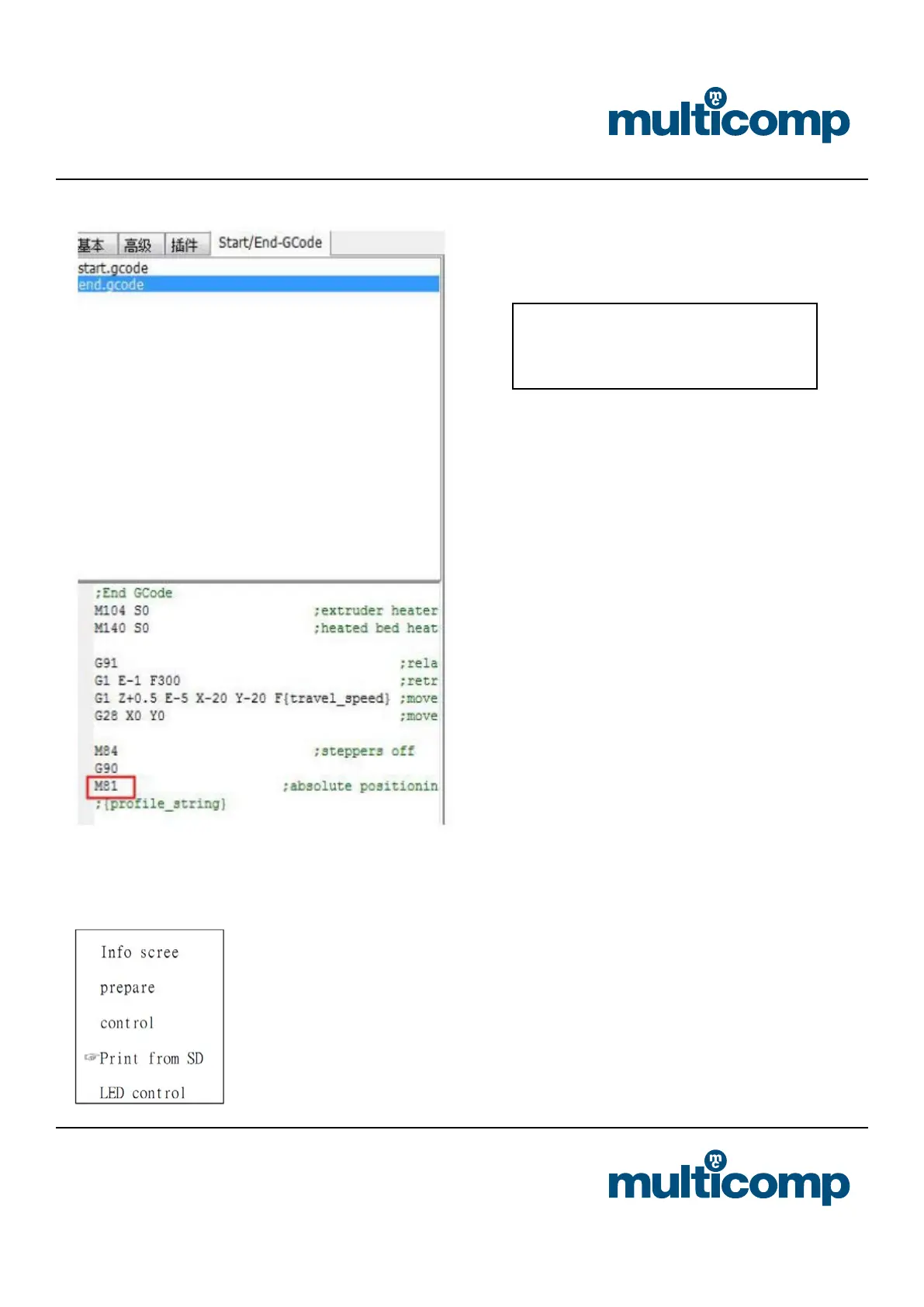
Add new machine wizard: “other”>> “Prusa
Mendel i3”, then changing settings. If you want
to automatic shutdown, you should add the
“M81” command in the “end.gcode”. You can
open your machine by the reset switch.


 To Next Page