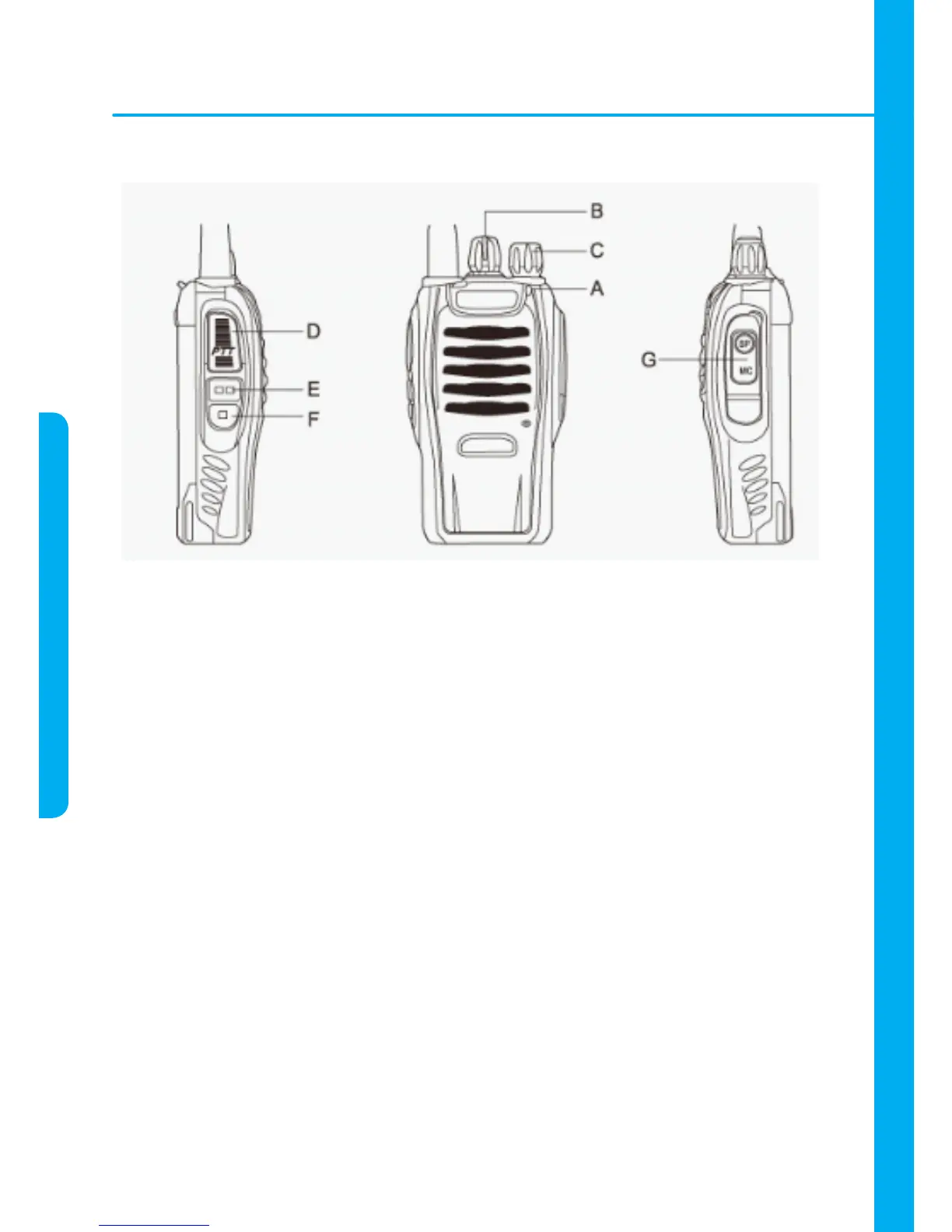
KNOWING THE PRODUCT
A. Indicator Led Light – The led light will be red during transmission function and green
during reception function.
B. Chance Channel Button – Rotate the button to the left to select the desired channel
among the 16 available channels.
C. ON/OFF and Volume Control Button – Rotate the button to the left to turn it on and
to high the volume. Rotate the button to the right to turn it off and to down the volume.
D. PTT (Push-To-Talk) Button - Keep this button pressed to transmit a massage.
Release it to receive a massage.
E. Try on Button - Press this button to check the operation of the channel chosen.
F. Lantern - Press this button to turn on / off the lantern placed on the right up side of
the radio.
G. Earphone/Microphone input.



 To Next Page