25
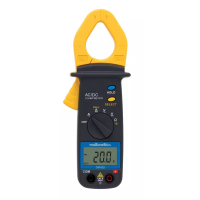
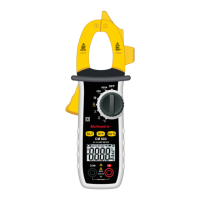
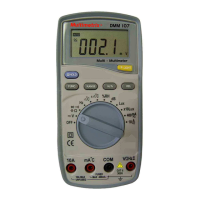
Item Function
Black negative (-) COM terminal
Positive 10 A terminal
1.
Positive mA and temperature terminal
2.
Liquid crystal display: 4,000 counts
3. RANGE key. See Paragraph 7.14.
4. FUNC. key toggles between:
V, 400mA and A: changes from AC to DC.
changes function: ohm, diodes,
continuity, capacitance
5. LIGHT key: activates display backlighting. The backlight
automatically turns off after approximately 10 seconds.
6. REL key: calculates the difference between two
measurements (see Paragraph 7.16)
7. Hz% key toggles between:
V, 400 mA: changes from V to Hz and then to %
Hz: changes from Hz to %
8.
Function switch for:
OFF: Multimeter is without power.
V: AC/DC frequency and voltage
Ohms: Resistance, diode, continuity and
capacitance measurements
Hz: Frequency and cyclic ratio measurements
1°C
°C: Temperature measurements
0.1°C
°C: Temperature measurements
%RH: Relative humidity measurements
dB: Sound level measurements
Lux: Low-level illuminance measurements
X10
Lux: High-level illuminance measurements
400 mA: Current measurements (with fuse)
10 A: Current measurements (without fuse)
9. HOLD key. Freezes the reading. See Paragraph 7.12.
10.
Red positive terminal (+)


 To Next Page