27
7. Functional Description
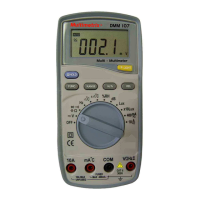
7.1 Starting the Multimeter
Set the switch to any position other than OFF.
7.2 Stopping the Multimeter
Manual power-off
Set the switch to OFF.
Auto power-off
Except in the HOLD position, the multimeter automatically turns
off 15 minutes after the last reading. Press any key except FUNC.
to initiate a new 15-minute period. The buzzer sounds 1 minute
before the device turns off.
Press any key to reactivate the device.
7.3 Measuring Voltage (and Frequency)
Read the safety guidelines before use.
Autoranging or manual ranging: 400 mV to 600 V
DC
(5 ranges)
and 4 V to 600 V
AC
(4 ranges).
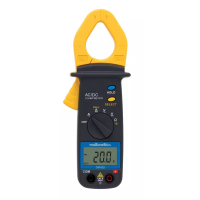
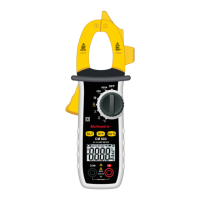
1. Set the switch to:
- to measure a direct current voltage.
- Press the FUNC. key to measure an alternating current
voltage.
2. Read the value of the voltage once it has stabilised.
For a direct current voltage, the symbol indicates a reversal of
polarity of the probes. " ----- " indicates an overrange.
Press the Hz key to change successively to frequency
measurements, then cyclical ratio measurements, before returning
to AC voltage measurements.
Note: The function is enabled only when the 2 probes are in
contact with the circuit to be measured.


 To Next Page