29
Frame & Panel Installation
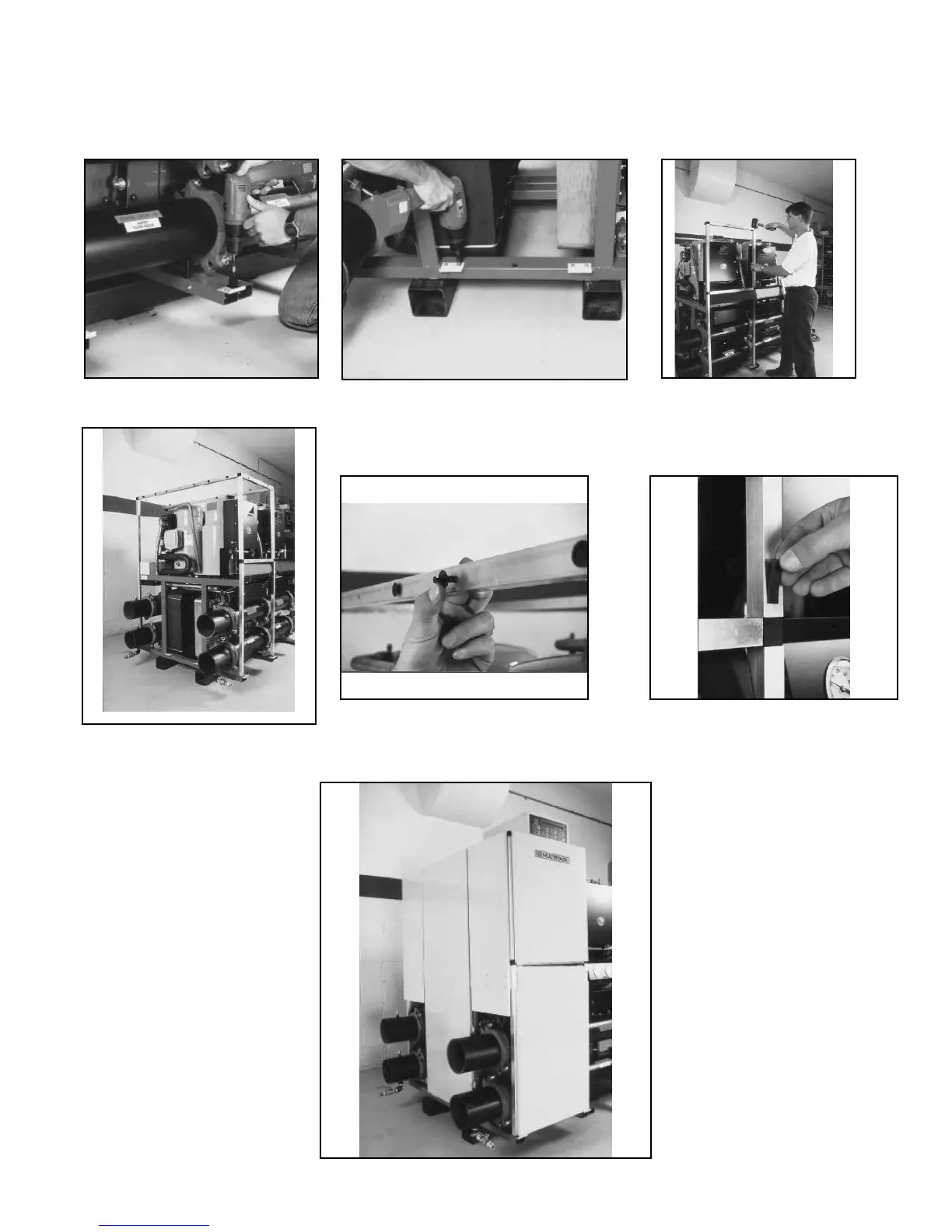
Attachment of the optional enclosure panels is the responsibility of the Multistack authorized start-up technician. Typical installation is shown.
1. Install panel clips and spindle posts on the
outside four corners of module frame.
2. Attach panel supports on outside of end modules.
3. Attach front frame section on module
(33-1⁄8 -inch pieces on bottom). Use “T”
connectors in front middle. The four corner
connectors go on top, front and rear.
4. Install two long frames over spindle posts
vertically in rear (buss bar side). Attach top
frames to corner joints (use special frames
with seven holes for end modules only). At-
tach 20-inch horizontal frames, two in front,
one in rear.
5. Once the frame is assembled, attach the black fasteners and magnetic tape (or Velcro™ strips) to front
of support panels.
6. With the rst module frame and panels
complete, install the additional enclosures.



 To Next Page