MT202TD User Guide
14
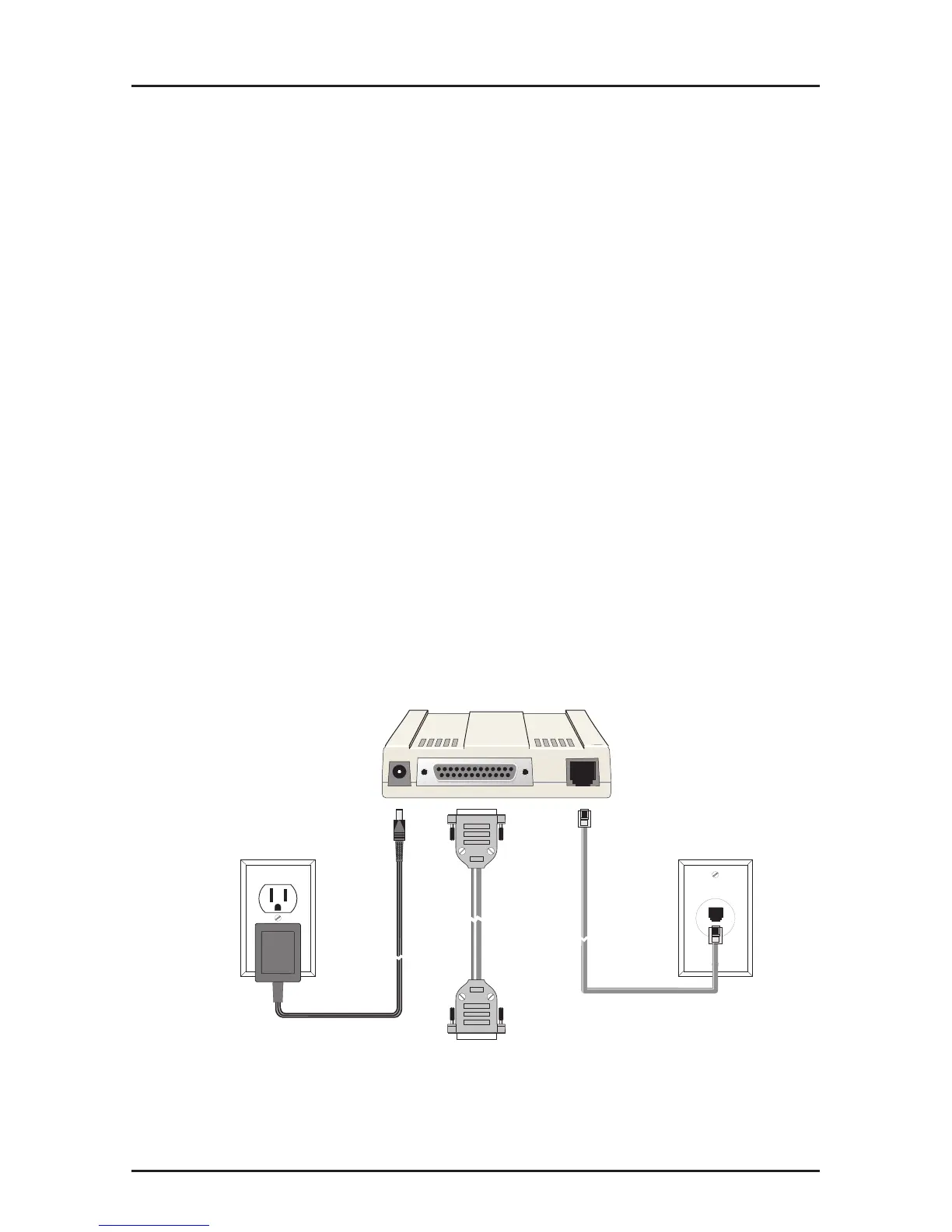
Modem and Phone Line Connection
This section describes how to install and connect the
MT202TD.
Installation Steps:
1. Verify that the remote modem is set for Bell 202- or 202T-
compatibility.
2. Connect the modem to the leased line jack using one of the
two RJ11 cables provided with the modem.
3. Remove the case (see the next page). Verify leased-line
transmit level (DIP switch #5) setting is at either 0 dBm
(down) or -9 dBm (up). Refer to the following page for more
information on DIP switch settings.
4. Attach the MT202TD to your PC or terminal with an RS-
232 (or V.24) cable.
5. Connect the power transformer to the modem and an AC
outlet.
PWR RS232 LINE
To DTE
Figure 2-4. Back Panel Connectors














 To Next Page