MT5634ZBA-USB Quick Start Guide
4
Step 1: Assemble the Modem
The only assembly required is to mount the feet on the
bottom of the modem. Simply peel the four self-adhesive
plastic feet off the backing strip and press them into the
recesses on the bottom of the modem.
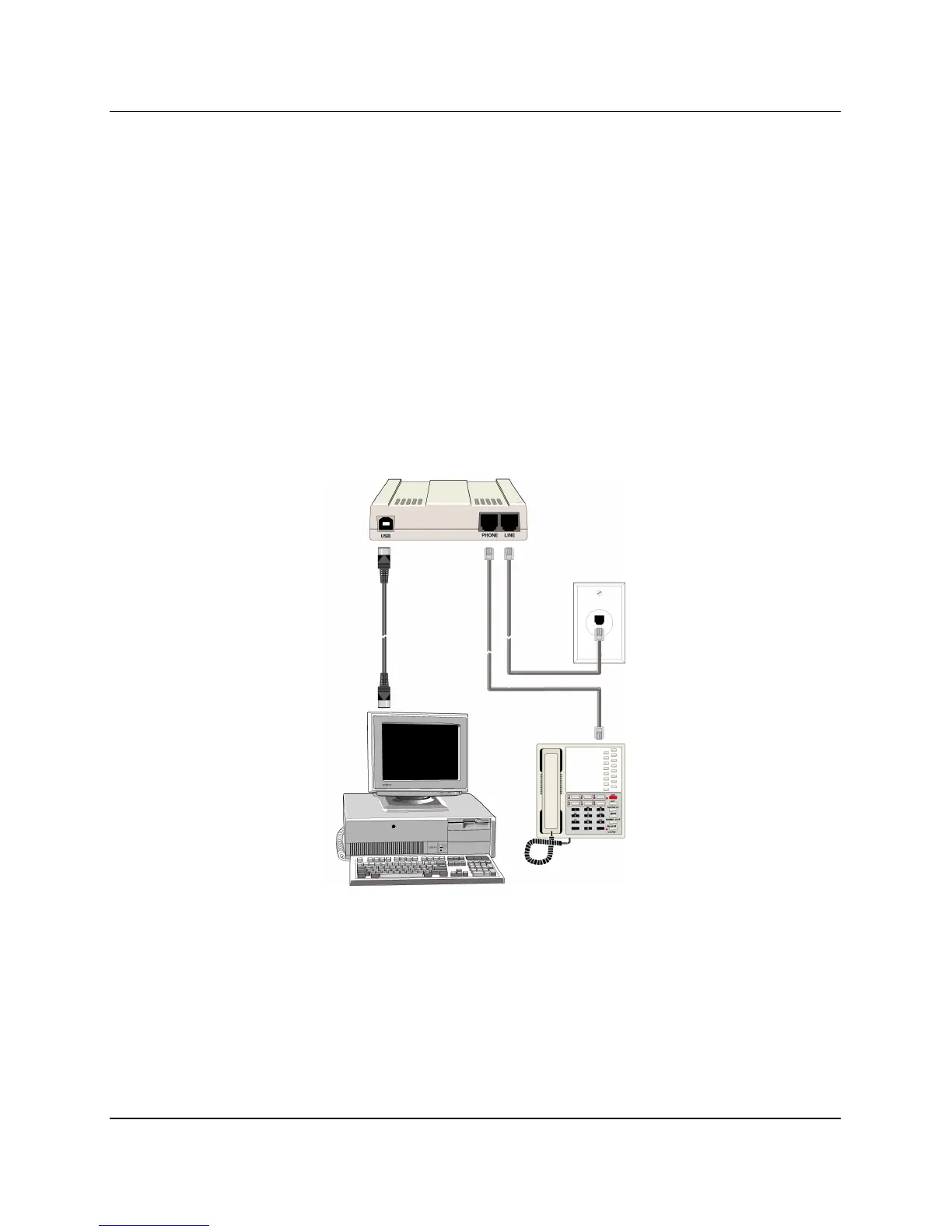
Step 2: Connect the Modem to Your System
Place the modem in a convenient location. Connect it to your
PC’s USB port, the phone line, and, optionally, to your
phone.
USB Connection
Plug one end of the USB cable into the USB connector
on the modem, and the other end into a USB port on
your computer.














 To Next Page