6
5
Operation Instruction
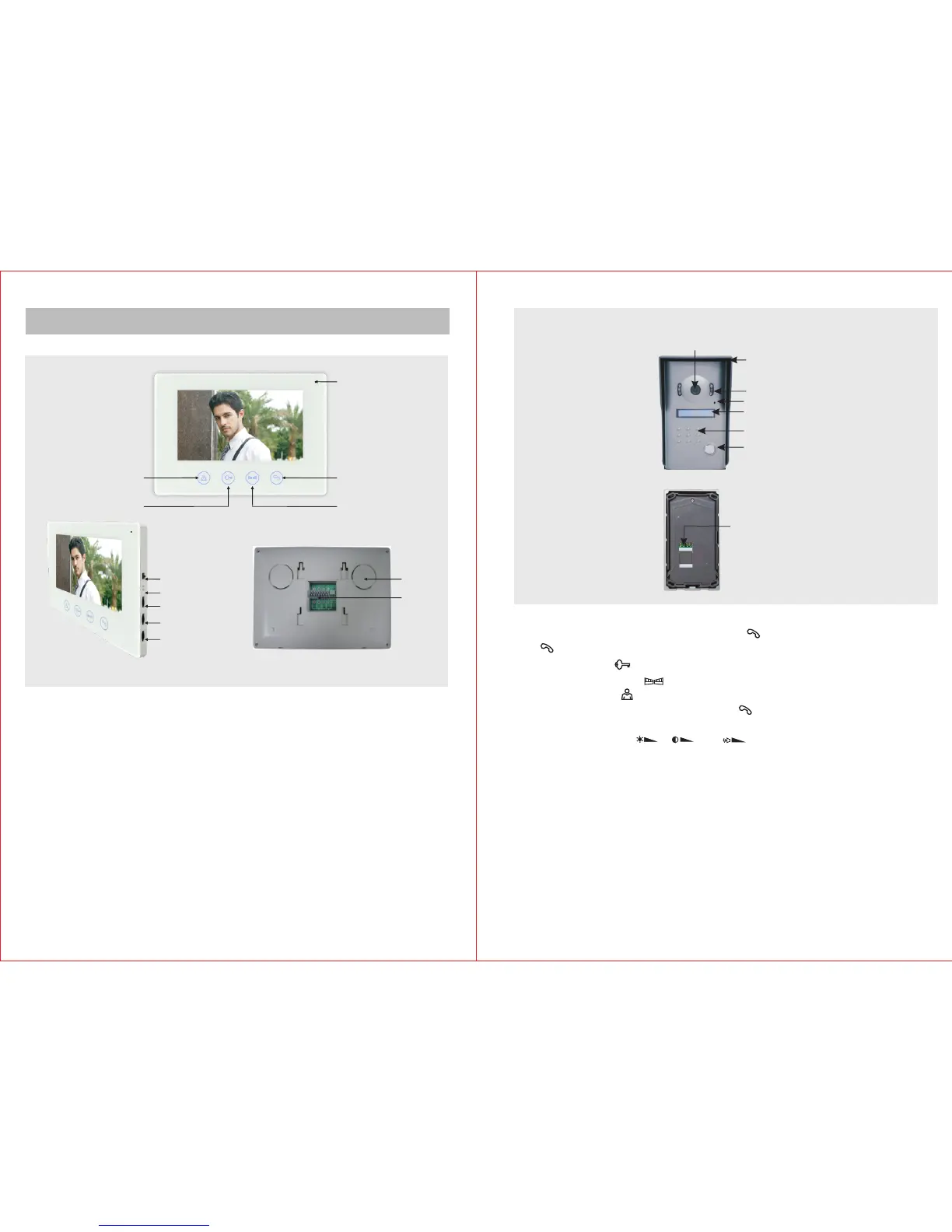
Indoor Unit
Melody (L/M/H)
Melody Selection
Brightness
Chroma
Volume
Wiring
Terminal
Speaker
Monitor
Unolock
Microphone
Gate Unlock
Talk
B. Outdoor Unit
1) Press CALL button of outdoor unit to call. The doorbell will ring and the images of visitors
will be shown on the indoor unit. Press TALK ( ) to activate the intercom. Touch TALK
( ) again to disconnect. Time duration of intercom and image is about 120s.
2) Touch UNLOCK ( ) button to release the electric door lock.
3) Touch GATE UNLOCK ( ) button to release the outdoor gate.
4) Touch MONITOR ( ) button to start monitoring outside. The monitoring time is about
40s. At the same time, you can touch TALK ( ) button to activate intercom with the
visitor at the door and press it again to stop monitor and conversation.
5) Turn the adjust knobs ( ), ( ) and ( ) on the side of indoor unit to adjust the
brightness,chroma and talking volume.
6) 16 chord molodies for option.
Wiring terminal
Camera
Infrared light
Rain shade
Microphone
Speaker
Call
Room number



 To Next Page