Page
11
of
21
IDS001 Document Scanner User Manual
Version 1.00
3.0. Menu Setting
3.1. Time Setting
The generation date of the scanned document can be found by this function.
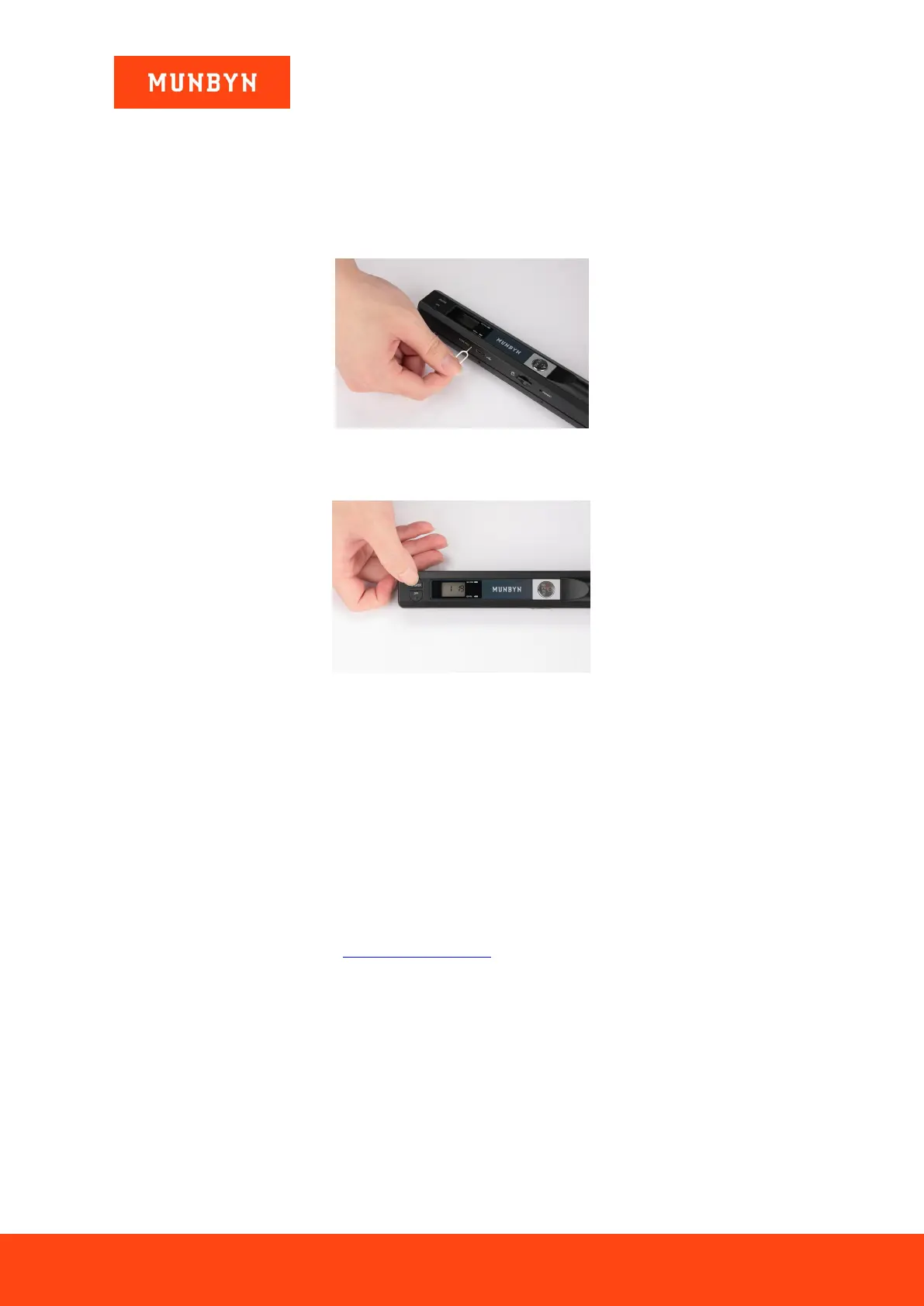
1) Press the “TIME SET” hole by ejection pin or other tools to enter time setting mode.
Figure 3-1 Press Time Set Hole
2) When “1xx” is displayed on LCD screen, press the “JPG/PDF” or “DPI” button to adjust.
Figure 3-2 Time Setting
3) Press the “SCAN” button to confirm and jump to the next mode settings on the LCD screen.
The numbers meaning as follows:
1xx setting year
2xx setting month
3xx setting the date
4xx setting hours
5xx setting minutes
4) After setting all information, press “TIME SET” hole to exit.
Time Setting Tutorial Video Link: https://munbyn.biz/001t
3.2. Format the SD Card
All files on the SD card can be cleared at a time by this function. Before formatting, we recommend you better
back up the files on the SD card.
1) Press the “FORMAT” hole by ejection pin or some other tools to enter format mode.
2) When “F” is displayed on the LCD screen, press the “SCAN” button to confirm, then the number shown
on the LCD screen will return to 0, which means the SD card formatted successfully.


 To Next Page