Page
6
of
21
IDS001 Document Scanner User Manual
Version 1.00
1.3. Function Keys
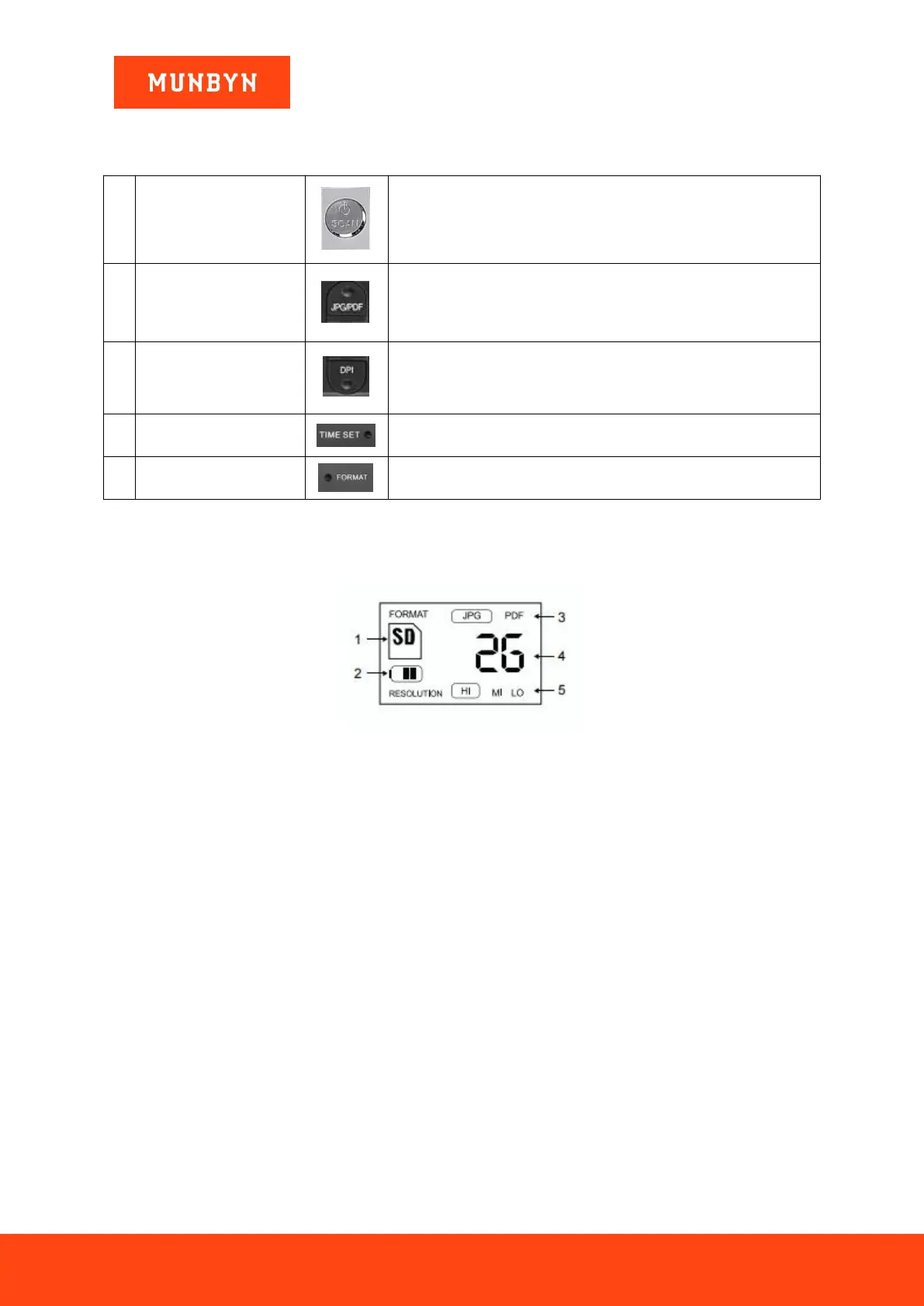
Table 1-1 Function keys
Power On/Off: press and hold this key for 3 seconds to turn power
on or off.
Scan: after power on the scanner, press the button to start
scanning, press the button again to finish scanning.
Press the key to transform file format (PDF/JPG), the icon of the
mode will be displayed on the LCD screen.
Press the key to transform the resolution of scanning files, there
are Low(300dpi), Middle(600dpi) and High(900dpi) can be
selected, and the icon of the resolution will be displayed on the
LCD screen.
To set the date of scanning files.
To clear all scanned files in SD card.
1.4. Display Interface
Figure 1-4 Display Interface
1. SD: SD card inserted
2. Battery Display
3. JPG/PDF: Document format saved after scanning
4. 26: The number of scanned documents in SD card
5. Resolution: HI (High: 900 DPI) / MI (Middle:600 DPI) / LO (Low:300 DPI)


 To Next Page