Page
15
of
21
IDS001 Document Scanner User Manual
Version 1.00
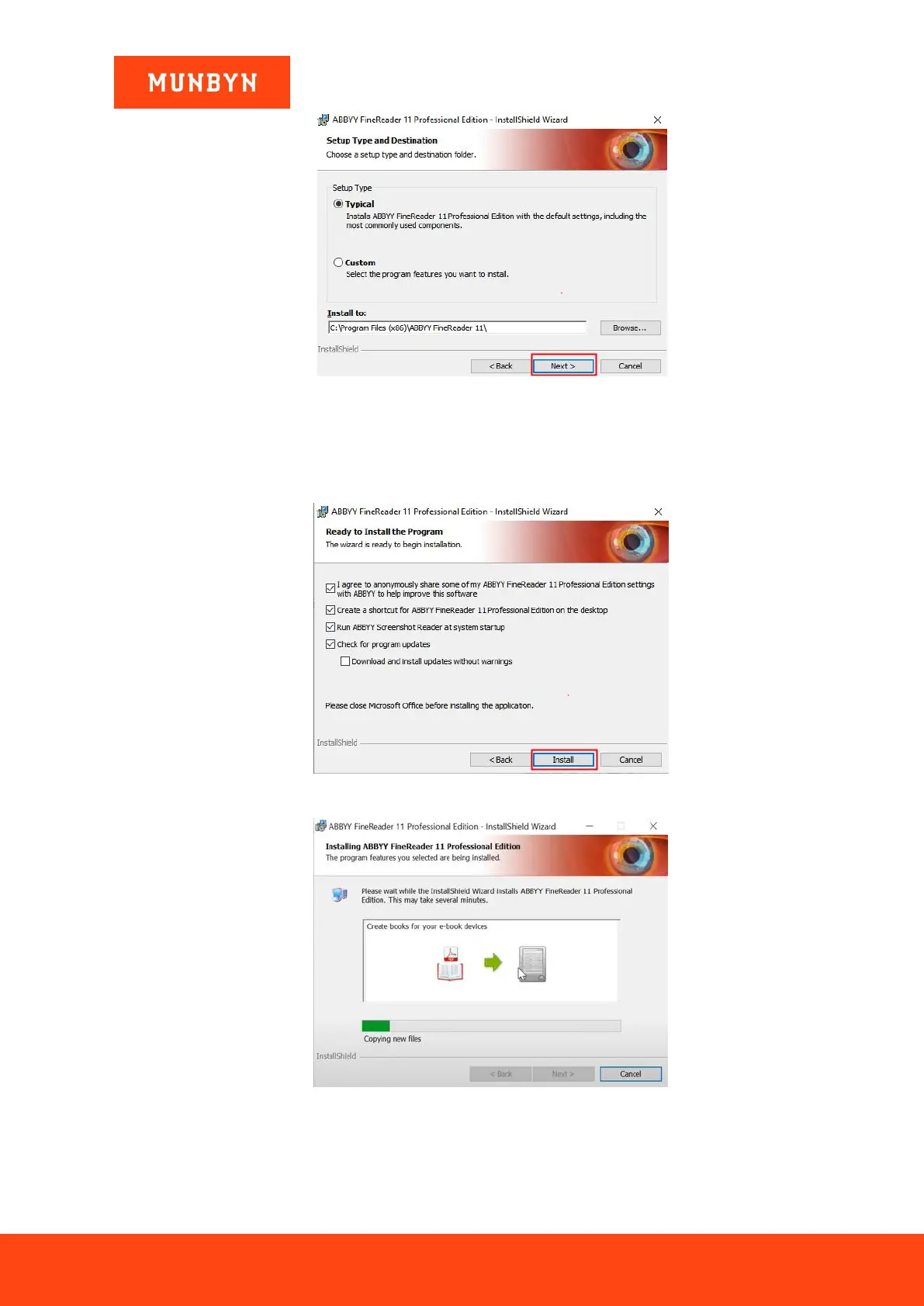
Figure 4-3 Installation Interface
4) Select the options and then click the “Install”, the software begins to install on your computer. It will take
about 2 minutes to complete the installation. After clicking the “Finish”, the OCR software is ready to use,
as shown in the figures below. Please don’t select the “Download and install updates without warnings”
option.
Figure 4-4 Installation Interface
Figure 4-5 Installation Interface


 To Next Page