Page
18
of
21
IDS001 Document Scanner User Manual
Version 1.00
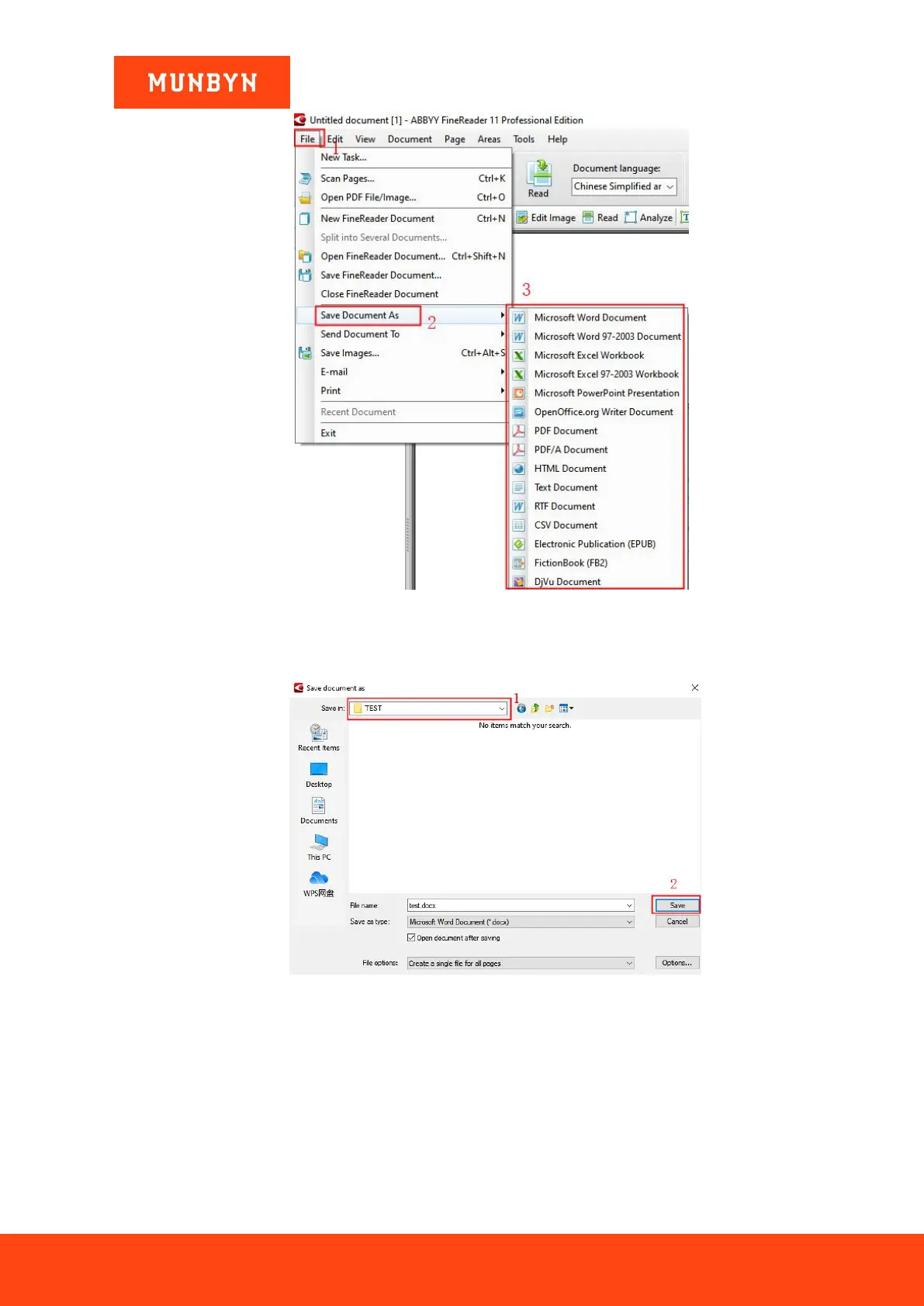
Figure 4-10 Format Conversion Interface
4) Select a folder to save your convert files, then click the “Save”. After the files are saved successfully, the
converted files can be found in the folder, as shown in the figures below.
Figure 4-11 Save File Interface


 To Next Page