Page
9
of
21
IDS001 Document Scanner User Manual
Version 1.00
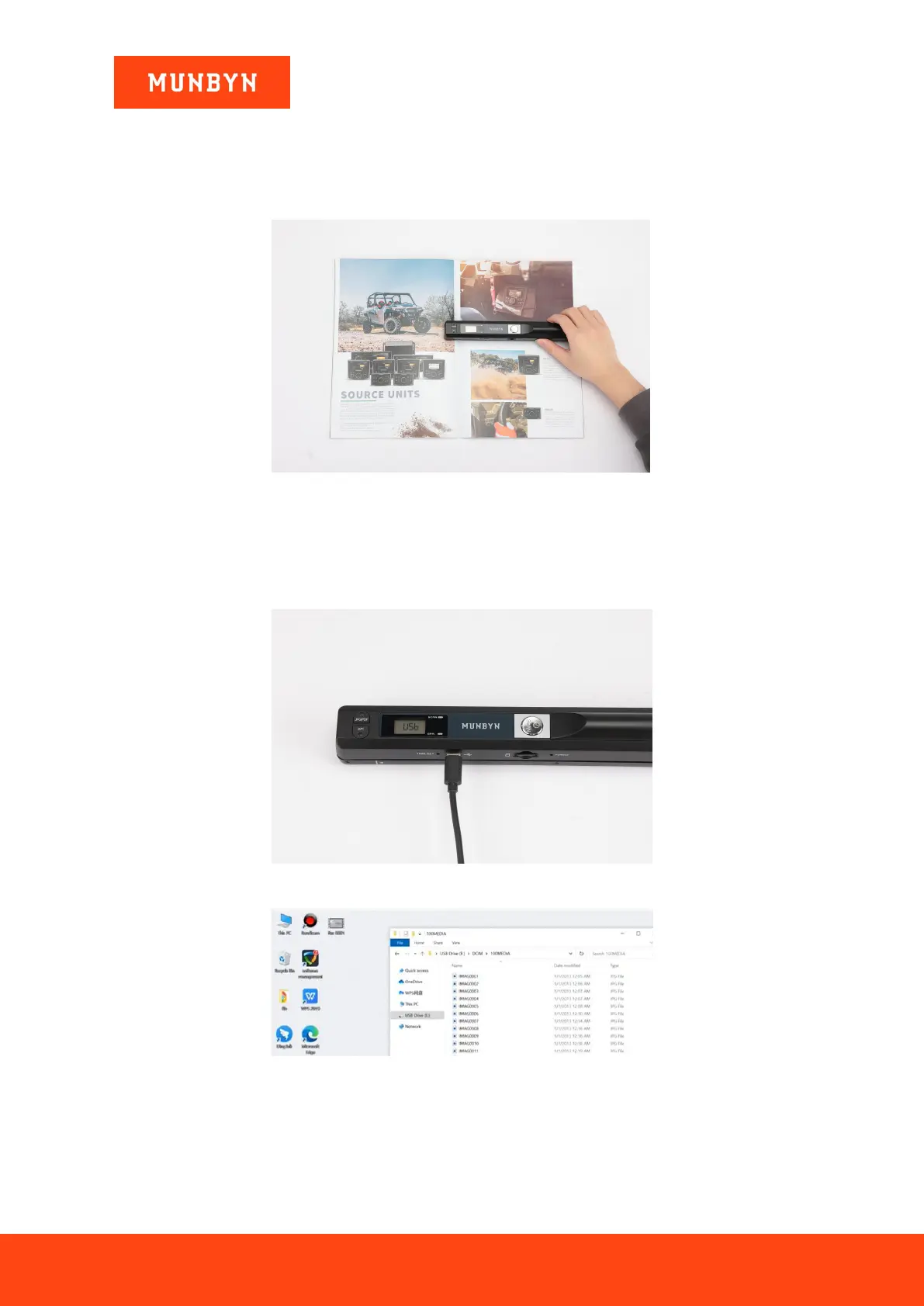
4) Put your target (document/photo/receipt/book) on a flat desk.
5) After placing the scanner on the target, press the "SCAN" button to start scanning.
6) Slide the scanner over the target smoothly and slowly, making sure the green light is always on.
Figure 2-6 Scanning File
7) Press the "SCAN" button to complete the scanning, then the number shown on LCD screen will increase 1
automatically.
8) Connect the scanner to a computer by the USB cable, then the LCD screen will display “USb” as follow,
and you can find the scanned files on your computer.
Figure 2-7 Connect Computer
Figure 2-8 View Scanned Files
Notes:
1) About size: The maximum size of the scanned target is 8.27 inches. If the target is over this limit, it is
recommended that you perform segmented scanning reasonably.


 To Next Page