© Munters AB, 2014 8
Cross wire the RS-232 communication 3-wire cable:
• The RS-232 TX (output) terminal connects to the Controllers RX (input) terminal.
• The RS-232 RX (input) terminal connects to the Controllers TX (output) terminal.
• The third wire connects the RS-232 COM Communication Box and Controllers.
2.6 Troubleshooting
In case of a communication problem:
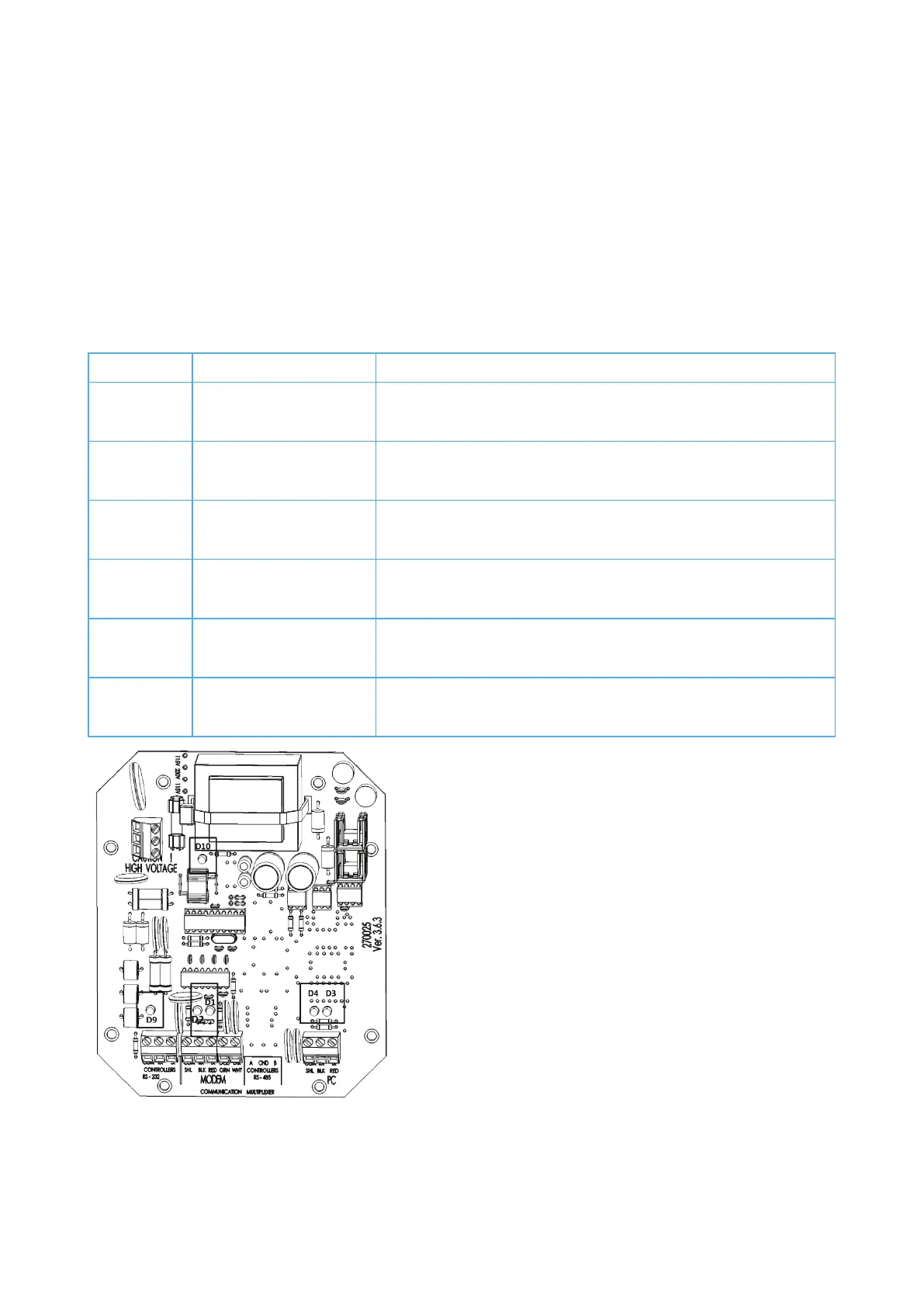
1. Open the unit.
2. Locate the LEDs and refer to the following chart.
Problem with the power supply
-232 data from modem.
RS-232 data from modem.
-232 data sent to controllers.
-232 data to controllers
-232 data sent to modem.
-232 data to modem
-232 data to PC.
-232 data to PC



 To Next Page