Using the test pen and a large sheet of paper, draw the square, noting which side was drawn
left-to-right (which is the X side) and which side was drawing front to back (which is the Y side), as you
face the ARTisan head on.
To calculate the Scale factors divide the design dimension by the actual drawn dimension times the
current Scale factor. Thus, if you draw a 10” square and it measures ~10 1/32” (left-to-right) or if you
draw a 250 mm square and it measures ~ 250.8 mm (left-to-right), then:
Repeat the test to verify the dimensions are correct. If you still need to adjust, repeat the calculation
with the newly measured dimensions but remember to also multiply by the SCALE numbers you
entered into the SCALE screen. Then enter those new SCALE values and test again.
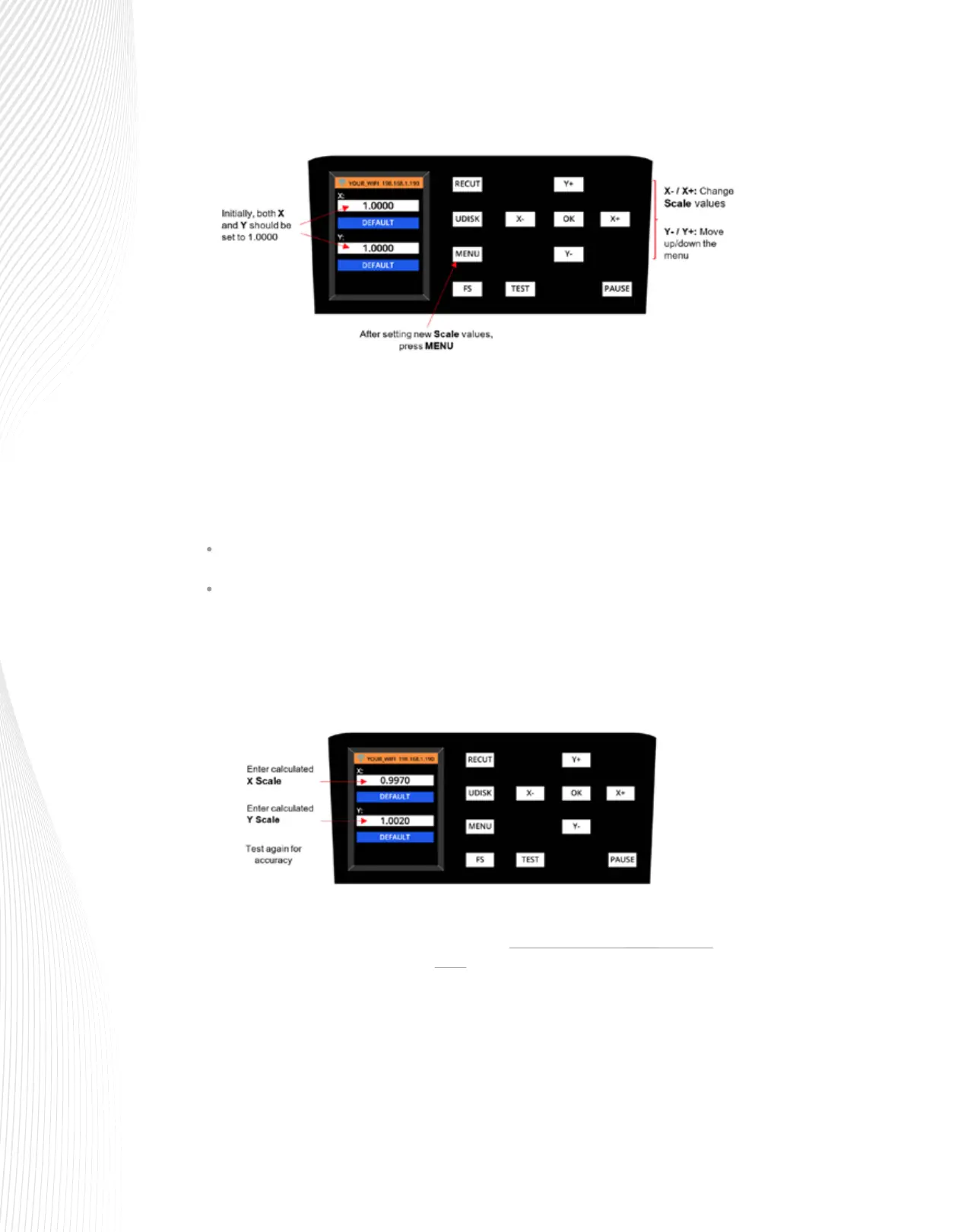
X Scale = 10” ÷ 10 1/32” x 1= 10” ÷ 10.03” x 1 = 0.997
Or, in metric, X Scale = 250 mm ÷ 250.8 mm x 1 = 0.997
Repeat for Y Scale. In this example, assume the Y side drew smaller than 10” and the calculated Y
Scale is 1.002.
Return to the Scale screen and enter the values using the + and – buttons:



 To Next Page