Acquire the Scanner
TWAIN Driver
The TWAIN driver is the scanning module provided
with your scanner. It is easily accessed from within
the bundled scanner software or from within any
TWAIN-compliant program. Before you start with
the steps below, be sure you have installed and
configured the bundled scanner software.
1. Launch Windows.
2. Run the host TWAIN-compliant software (e.g.
Photo Express)
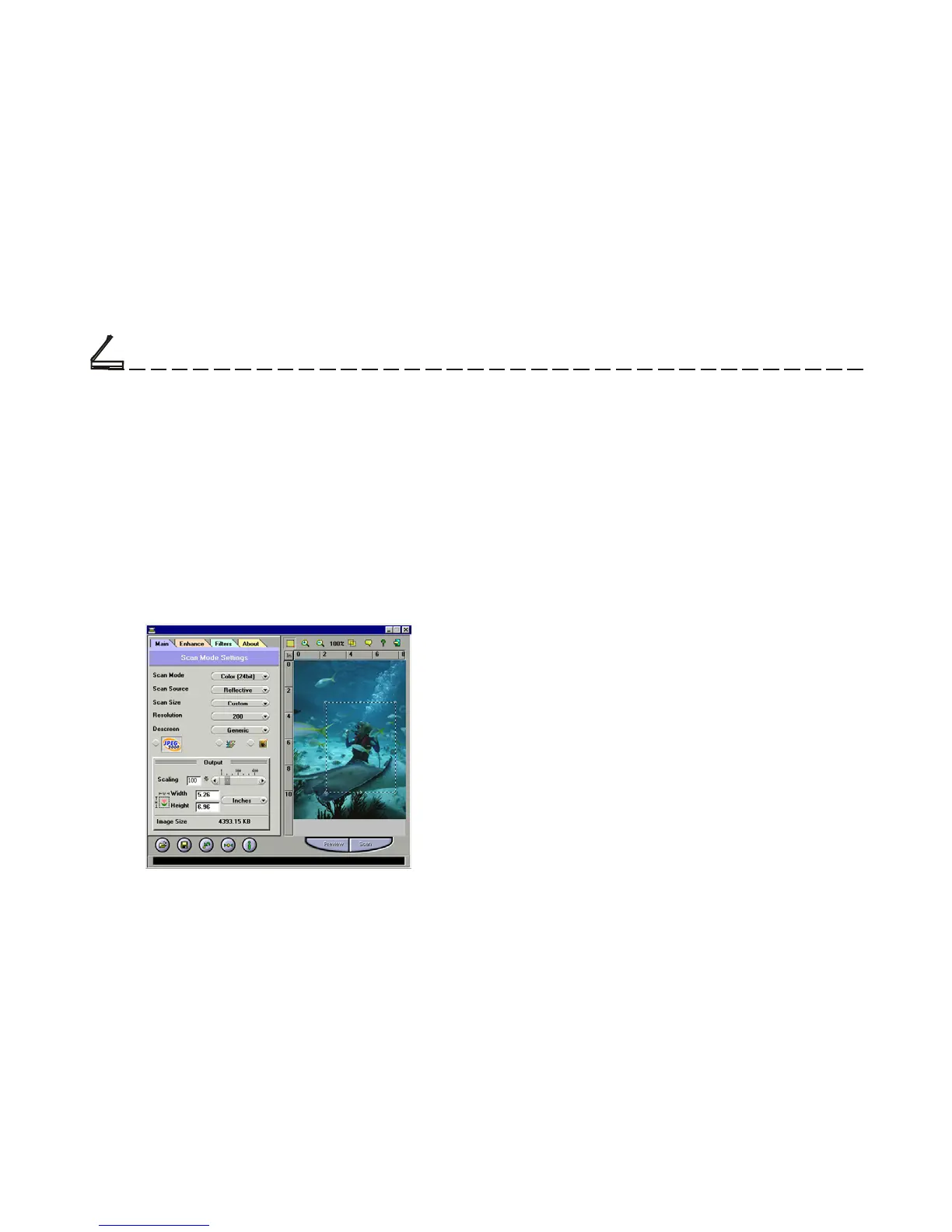
3. Call up the TWAIN Data Source by selecting
Acquire from the File menu. (In some programs,
the Acquire command will appear in a submenu
under the Import command.) The TWAIN
dialog box will appear in a submenu under the
Import command.
The TWAIN dialog box contains control settings,
which you must set prior to scanning a document.
The basic steps to scan a document are:
1. Prescan the document.
2. Set the desired image area to be scanned.
3. Select the scan source.
4. Select the desired scan mode.
5. Select the desired resolution.
6. Click on the Scan button.



 To Next Page