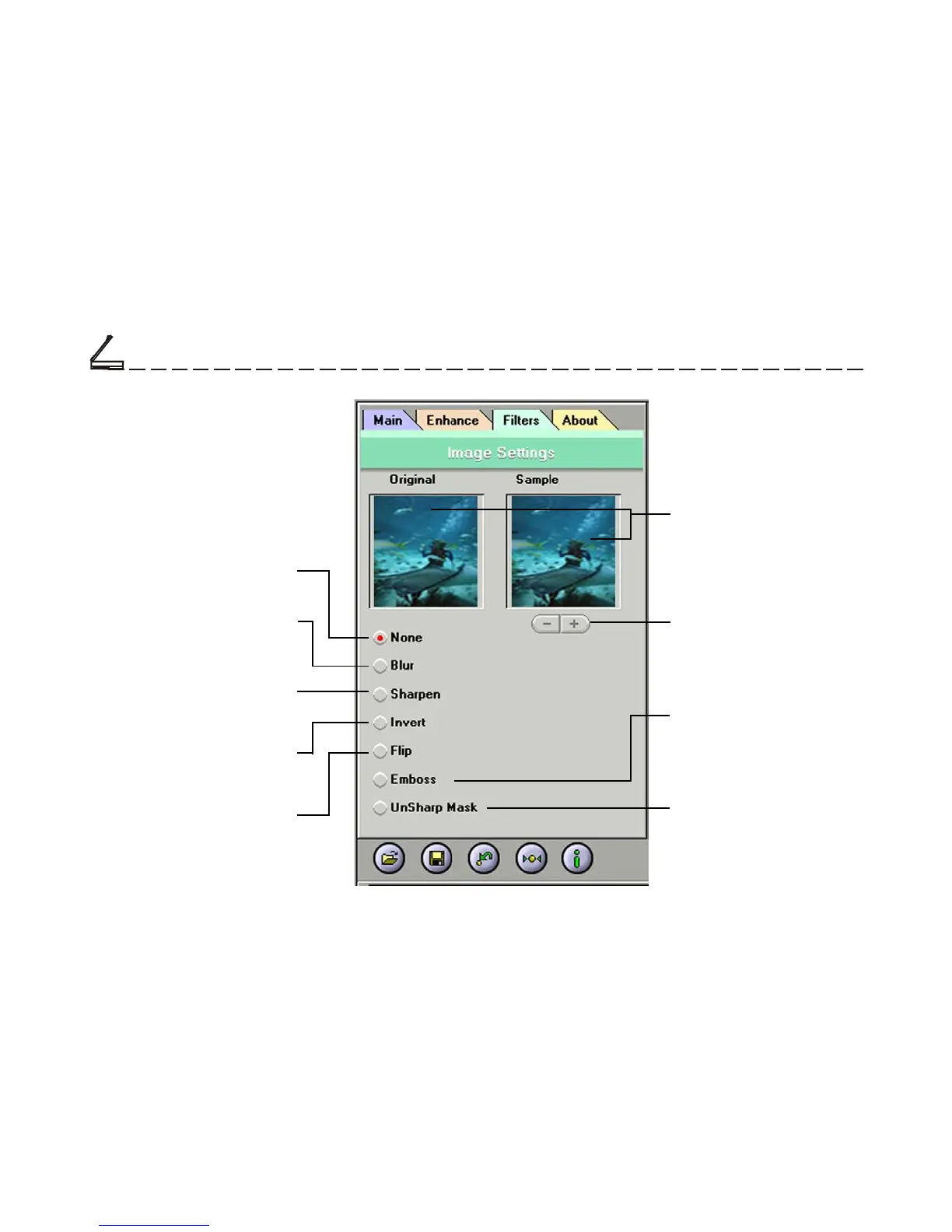
The Filters Folder
None
No filter is applied.
Invert
Reverses an image to its
negative or compliment.
Flip
Creates a mirror image of
the original.
Blur
Smooths or softens the
image.
Emboss
Makes the elements in the
image appear raised or
sunken.
Sharpen
Enhances the detail in the
image.
Thumbnails
Are used to see the effects
of the selected filter.
Unsharp Mask
Emphasizes shape edges
and color boundaries.
Filter Control Buttons
Use these buttons to add
/subtract a degree of the
Blur or Sharpen filter.
The Filters Tab allows you to
adjust the individual effects of the
scanned image by applying
various filters to the image, prior
to scanning.



 To Next Page