Thumbnails
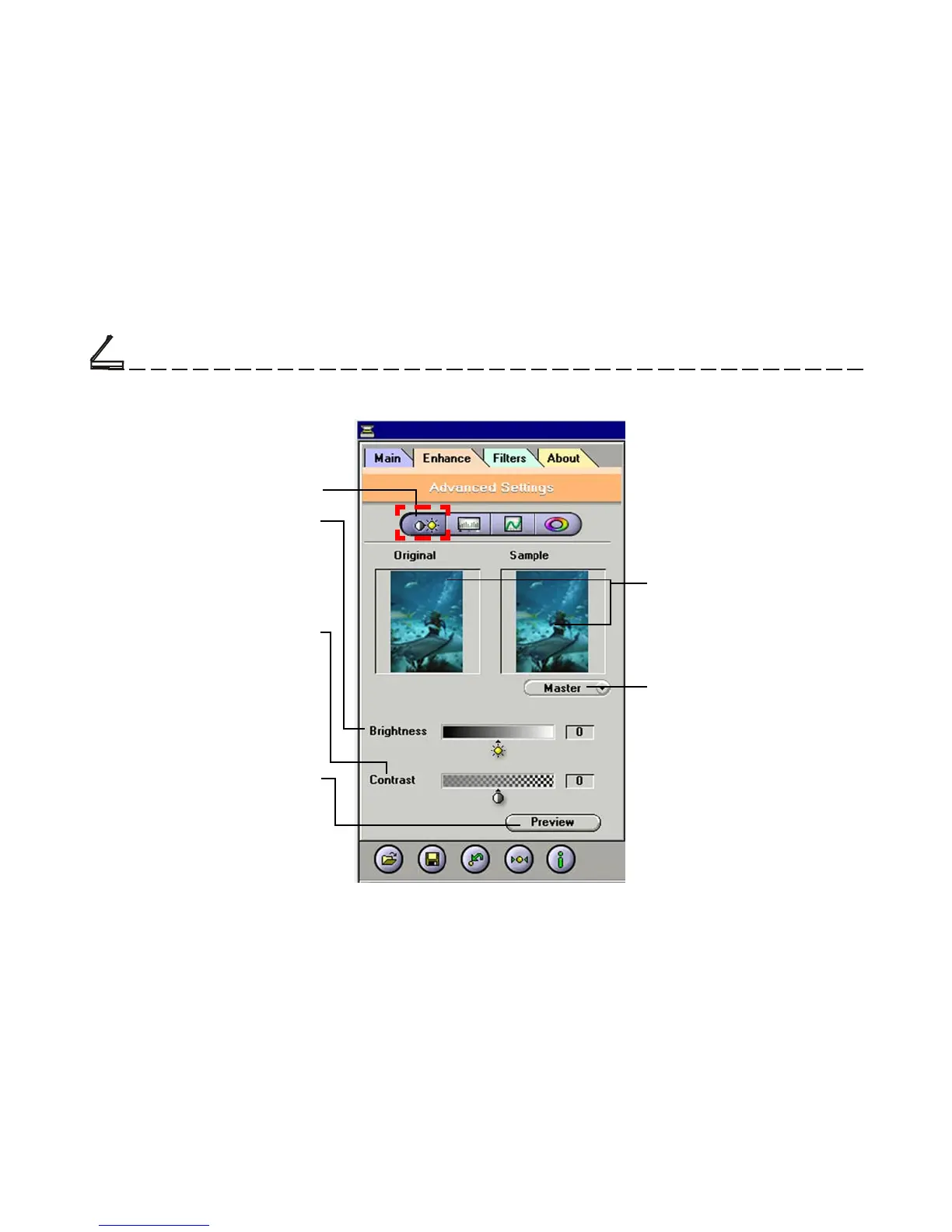
Are used to see the effects of
any changes in the control
settings.
The Enhancement Folder:
Brightness/Contrast Control
Brightness Control
Allows you to adjust the overall
amount of light in the image
through a range of values (–127
~0~+127).
Channel Selector Control
Allows you to select the
channel layers (red, green
and blue) that make up a color
image. You can choose to
change the channels individu-
ally or choose master to
change all channels equally
and simultaneously.
Contrast Control
The Contrast Control allows you
to adjust the overall amount of
black areas or white areas in the
image through a range of values
(–127~0~+127).
Brightness/Contrast Control
Preview Button
This button allows you to see the
effect of any changes made to
the image prior to scanning. Any
changes will appear in the
preview window.



 To Next Page