ES-5
INSTRUCCIONES DE FUNCIONAMIENTO
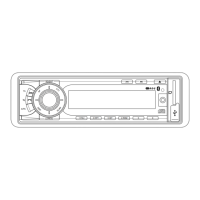
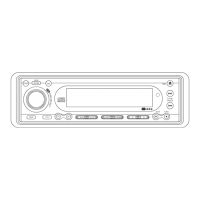
1. ENCENDIDO - ON/OFF
Pulsando esta tecla puede encender o apagar el aparato.
La unidad se conecta pulsando cualquier tecla.
2. TECLA DE SELECCIÓN
3. AJUSTE DE LOS NIVELES DE AUDIO
Gire el control rotativo VOL para la Derecha o la Izquierda (3), para ajustar las opciones VOL/BASS/TREB/BAL/FAD.
Para seleccionar otras opciones, pulse la tecla
VOL hasta que las funciones deseadas aparezcan en la pantalla. La
gura1muestracomoseseleccionanlasfuncionesconlatecla
VOL.
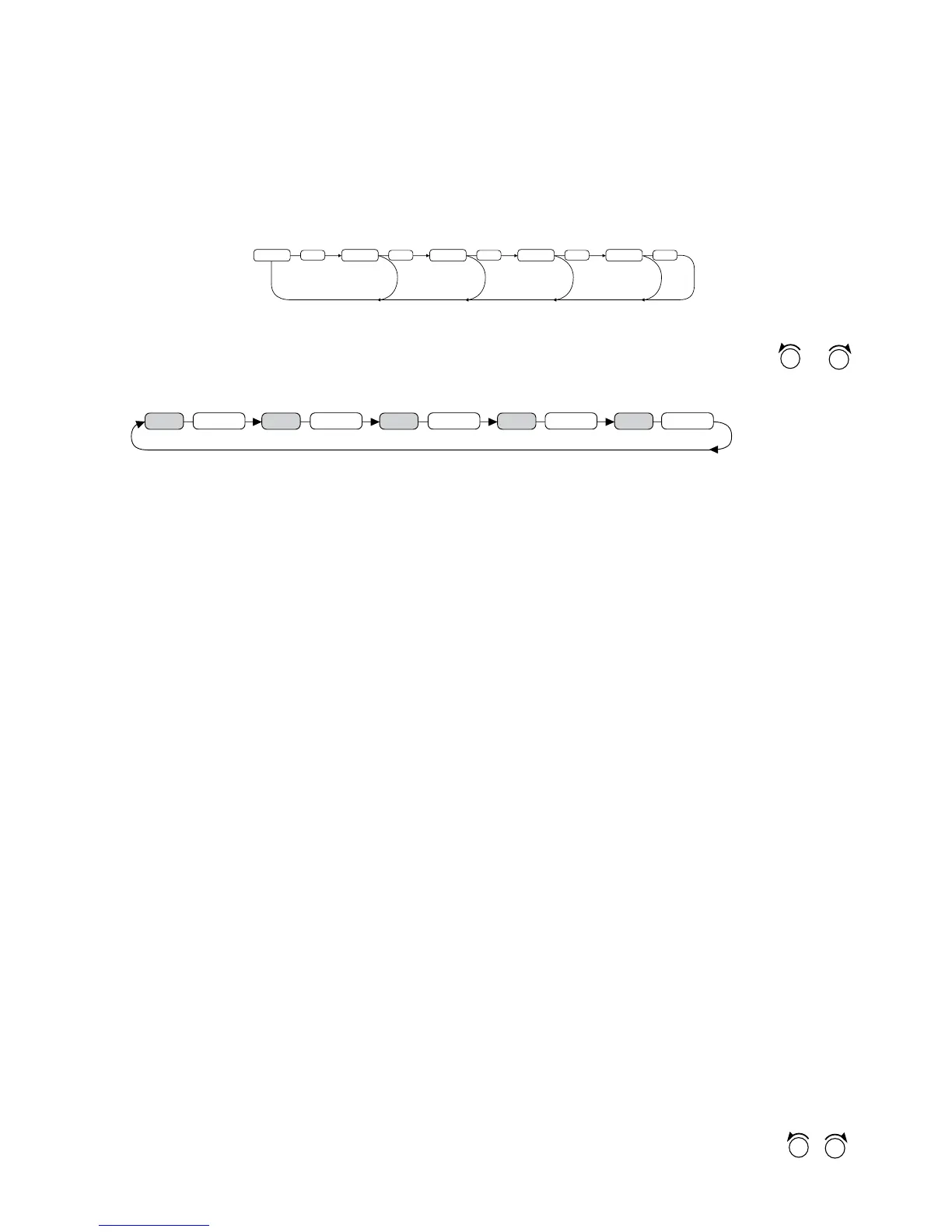
Fig. 1 Selección de las funciones de sonido
1. VOL 2. SEL 3. BAS 4. TRE 5. BAL 6. FAD
Girando el control rotativo VOL para la Derecha o la Izquierda. Aumenta o disminuye el volumen con
. Este control rotativo puede utilizarse para ajustar las opciones BASS (Graves), TREBLE (Agudos), BALANCE y
FADER.
IN VOL
SEL
2 sec.
SEL
ADJ
SEL
TA VOL
SEL
EON
SEL
DSP
Presione el botón
VOL y manténgalo presionado para ajustar INIT VOL /CT/TA VOL/EON ON/DSP.
IN VOL: en este modo puede ajustar el nivel de volumen inicial.
ADJ: con esta función puede ajustar la hora. Gire el botón VOL en el sentido de las agujas del reloj para poner
las horas y en sentido contrario para poner los minutos.
TA VOL:
conestafunciónpuedeajustarelvolumenTA(elniveldevolumencuandosetransmitenavisosdetráco).
EON: con esta función se pueden seleccionar las condiciones de EON, ON u OFF.
DSP: puedeseleccionarelmodoDSP(músicaclásica,rock,pop,at)
4. EMISORAS MEMORIZADAS (1,2,3,4,5,6)
Puede acceder directamente a una estación memorizada pulsando estas teclas. Si pula la tecla durante más de un
segundo, la estación sintonizada se memorizará.
FUNCIÓN RDS
¿Qué es el RDS?
El RDS (Radio Data System) es un sistema de información digital desarrollado por la EBU (European Broadcast Union)
y que emiten algunas emisoras. El RDS ofrece una variada información de servicios así como la posibilidad de sintonizar
automáticamente las estaciones que emiten el mismo tipo de programa, en dispositivos compatibles con RDS.
5. Función ‘AF/REG’ (FRECUENCIAS ALTERNATIVAS)
Pulsando una vez, activa el modo AF/REG.
CuandoelmodoAF/REGestáactivado,eldispositivovericacontinuamentelafuerzadelaseñaldelasfrecuencias
alternativas. Si mantiene la tecla pulsada, puede activar el modo regional.
– Modo Regional ON:
El cambio de frecuencias y la búsqueda del código PI se implementan para las estaciones que tienen el mismo
código PI de la estación actual. En la pantalla LCD, la opción REG se activa.
– Modo Regional OFF
El código regional PI se ignora cuando se implementa cambio de frecuencias alternativas o búsqueda del código
PI.
6. Función ‘TA’ (INFORMACIÓN DE TRÁFICO)
Pulsando esta tecla puede activar o desactivar el modo TA
CuandolafunciónTAestáactivadayseemiteinformacióndetráco
– Si el dispositivo está en modo CD/MP3, cambia a modo radio temporalmente.
–Sielvolumenesinferioralnormal,aumentahastallegaralvolumendeescuchadenido.
– Cuando se recibe una emisora con TP, los segmentos de TP aparecen en la pantalla LCD.
7. Función ‘PTY’ (TIPO DE PROGRAMAS)
• Para activar la búsqueda PTY, pulse la tecla PTY. En la pantalla aparece PTY.
En la búsqueda de emisoras sólo se tienen en cuenta emisoras del reconocimiento PTY (ver tabla reconocimiento
PTY) seleccionado en ese momento.
• Para desactivar la búsqueda PTY, vuelva a pulsar la tecla PTY.
CongurarreconocimientoPTY
• MantengapulsadalateclaPTYyluegogireelreguladormúltipleparacongurarcadaunodelosreconocimientos
PTY.
BuscaremisorasegúnreconocimientoPTY
•
Si mientras se muestra el indicador de reconocimiento PTY, pulsa brevemente la tecla PTY o las teclas
,
se iniciará inmediatamente una búsqueda de emisoras que correspondan a ese reconocimiento PTY.
OPERATING INSTRUCTIONS
1. POWER ON/OFF ( )
By pressing this key, the unit is on or off.
This unit is turned on by pressing any key.
2.
FUNCTION SELECT BUTTON: BASS/TREBLE/BALANCE/FADER /
INITIAL VOLUME / CT / TA VOL / EON / DSP)
3. VOLUME UP/DOWN
Turning
VOL knob (right/left) to adjust VOL/BAS/TRE/BAL/FAD. To select other functions, press the
VOL knob shortly until the desired functions are shown on the display. Figure 1 shows how to control
functions that are selected using the
VOL knob.
Fig. 1 Selection of sound control functions
1. VOL 2. SEL 3. BASS 4. TRE 5. BAL 6. FAD
Increase or decrease the volume by turning VOL knob (right/left). These buttons can be used to adjust
the BASS, TREBLE, BALANCE and FADER.
IN VOL
SEL
2 sec.
SEL
ADJ
SEL
TA VOL
SEL
EON
SEL
DSP
Press and hold
VOL knob to adjust INIT VOL /CT/TA VOL/EON ON/DSP
IN VOL: Can adjust Initial Volume level using this mode.
ADJ: Can adjust clock time. Turn VOL knob clockwise to set hours and counter clockwise to set
minutes.
TA VOL: CanadjustTAVolume(ThevolumelevelwhenTrafcannouncementistransmitted).
EON: Can selected EON condition, ON or OFF.
DSP: Can select DSP mode (Classic, POP, Rock, Flat)
4. PRESET STATIONS (1,2,3,4,5,6)
When pressed momentarily, these keys select a preset station directly. When pressed longer than
1 sec., current station is stored in preset memory bank.
USING THE RDS FUNCTION
What is RDS?
The RDS (Radio Data System) is a digital information system developed by the EBU (European Broadcast
Union). Piggy-backed on normal FM broadcasts, RDS offers a variety of information services and automatic
retuning functions for RDS-compatible car stereos.
In 1988, RDS became available in the United Kingdom, France, West Germany, Ireland and Sweden.
Test transmissions are being conducted in many other European countries. It is expected that RDS will
be available in most western European countries in the near future.
5. ‘AF/REG’ function (ALTERNATIVE FREQUENCIES)
When pressed momentarily, AF/REG switching mode is selected.
When AF/REG switching mode is selected, the radio checks the signal strength of the AF all the time.
When pressed long, it is activated as regional mode ON/OFF.
–RegionalmodeON:
AF switching or PI SEEK is implemented to the station which have all PI codes same as current sta
-
tion. REG segment is turned on, in LCD display.
–RegionalmodeOFF
The regional code in the format of PI code is ignored when AF switching or PI SEEK is implement-
ed.
6. ‘TA’ function (TRAFFIC ANNOUNCEMENT)
When pressed momentarily, it is activated as TA mode on or off
WhenTAmodeisonandtrafcannouncementistransmitted
– When the unit in CD/MP3 mode, it will switch to radio mode temporarily.
– If the volume level was under the threshold point, it will be raised to the threshold point.
– When TP station is received, TP segment is turned on in LCD display.


 To Next Page
 Loading...