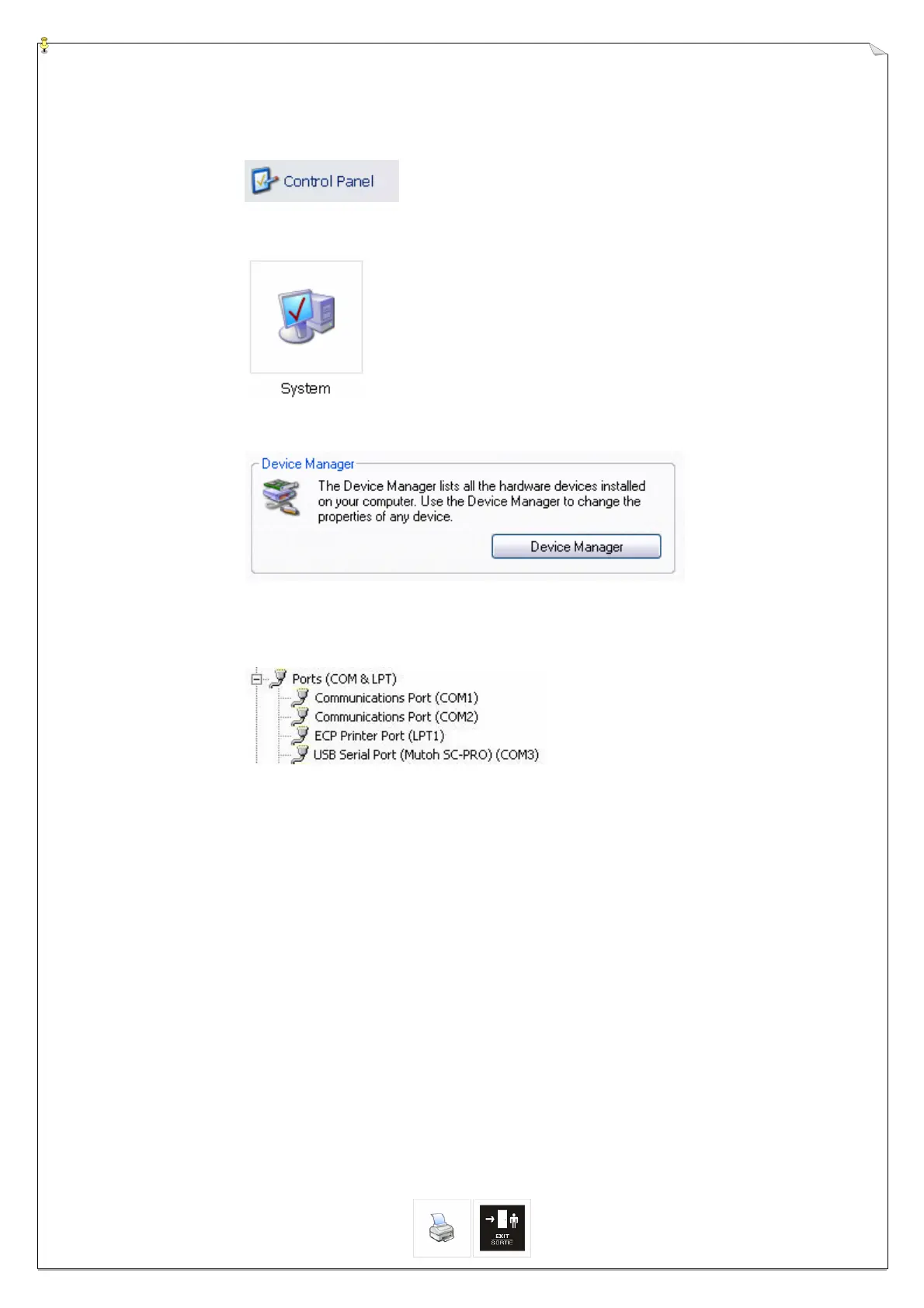
Step 19 : Check which COM port has been used for the SC-Pro USB communication:
► Open the control panel.
► Open system properties
► Open the device manager
► Unfold the Ports (COM&LPT) menu to know which COM port has been used.
SC-PRO DRIVER INSTALLATION Page 8 of 8
USB Serial Port (Mutoh SC-Pro) ►COM 3 in this example








 To Previous Page