GB
41
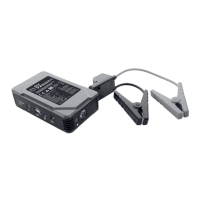
If the indicator lights for charging status
8
go out during the start attempt, charge
the portable jump starter with power
bank
1
.
If the vehicle does not start after the 3rd
to 5th start attempt, stop the start process
and check the other causes that may be
preventing the vehicle from starting.
z Using the device
z Check the capacity of the portable jump
starter with power bank
PLEASE NOTE: After switching on the portable jump starter
with power bank
1
using the power switch
7
the device will
switch off automatically after approx. 20 seconds, if a consumer
unit is not connected.
To check the capacity of the portable jump starter with power
bank
1
press the power switch
7
.
During charging, the indicator lights will flash
8
.
The number of permanently lit indicator lights
8
shows the
charge level of the portable jump starter with power bank
1
.
If the portable jump starter with power bank
1
is completely
charged, all indicator lights
8
will light up permanently.
Indicator lights Charge level
not permanent 0%
1 permanently lit 25%
2 permanently lit 50%
3 permanently lit 75%
4 permanently lit 100%


 To Next Page