12
2. Programs and its Basic Operation
Using Music Icon
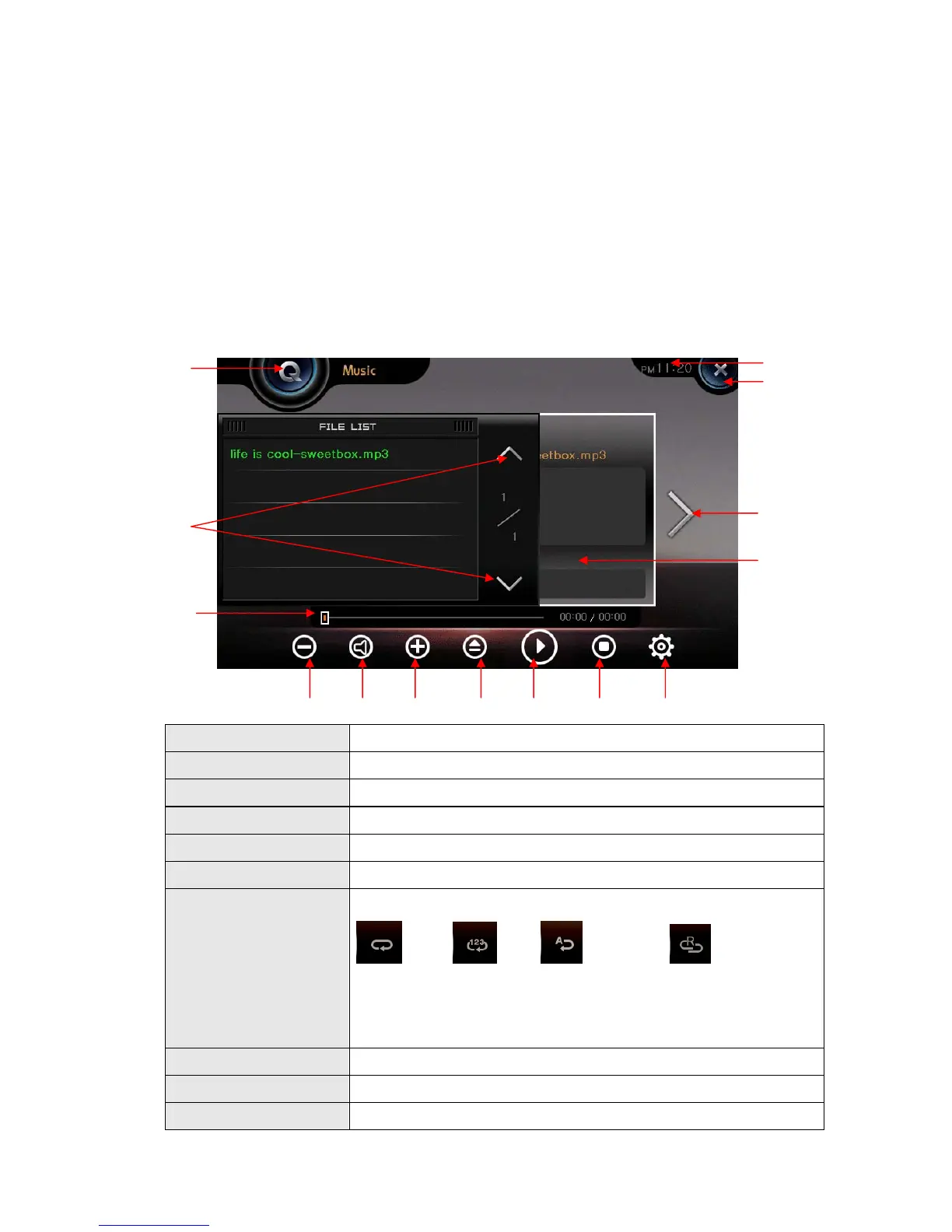
1) Getting started
Execute this by pressing Music icon on the Main Menu.
It plays music files.
1. Volume Down Decrease volume
2. Mute Mute sound
3. Volume Up Raise volume
4. Play List Display Change to play list display.
5. Play / Pause Toggle between play and pause.
6. Stop Stop playing.
7. Music configuration
Choose Play mode:
Repeat one, Repeat all, Repeat all one time, Random
Choose Equalizer type:
Normal, Classic, Pop, Jazz, Dance
8. Time Shows current time.
9. Close Close the viewer and return to main menu.
10. Next Skip to the next file
② ① ③ ④ ⑤ ⑥ ⑦
⑫
⑧
⑨
⑩
⑪
⑬
⑭


 To Next Page