19
Using Setup
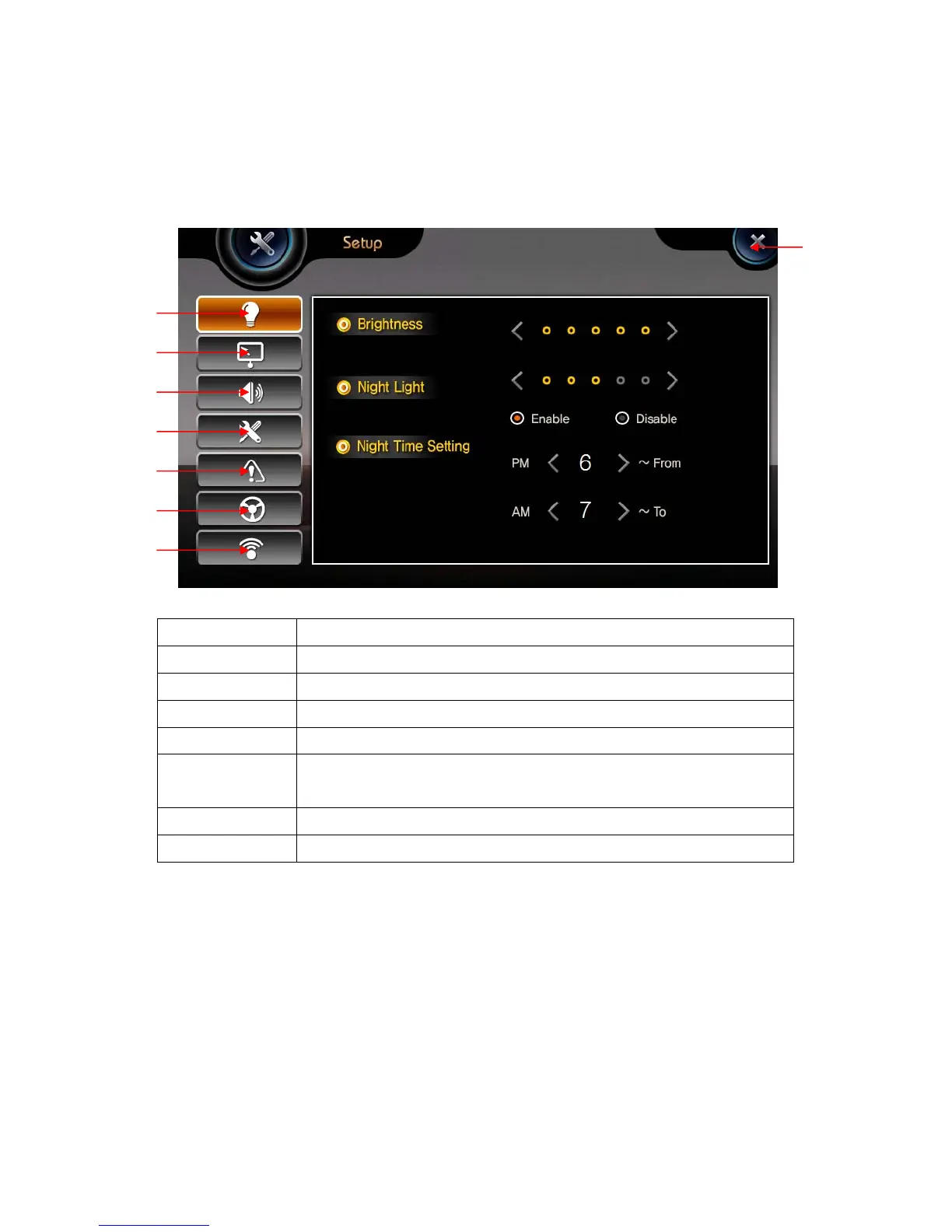
This consists of 7 icons. This can be operated by touching screen.
Getting Started
1.Brightness Start the Back Light control settings.
2.Calibration Calibrate the touch screen control
3.Sound setting Start the Sound control settings.
4.System setting Start Menu, Screen Saver, Background, Reset, Option settings.
5.System Shows system information
6.Handle
Remocon
For setting handle remocon
7.WiFi For setting WiFi
8.Close Go to main menu screen
②
③
④
⑤
⑥
①
⑦
⑧


 To Next Page