18
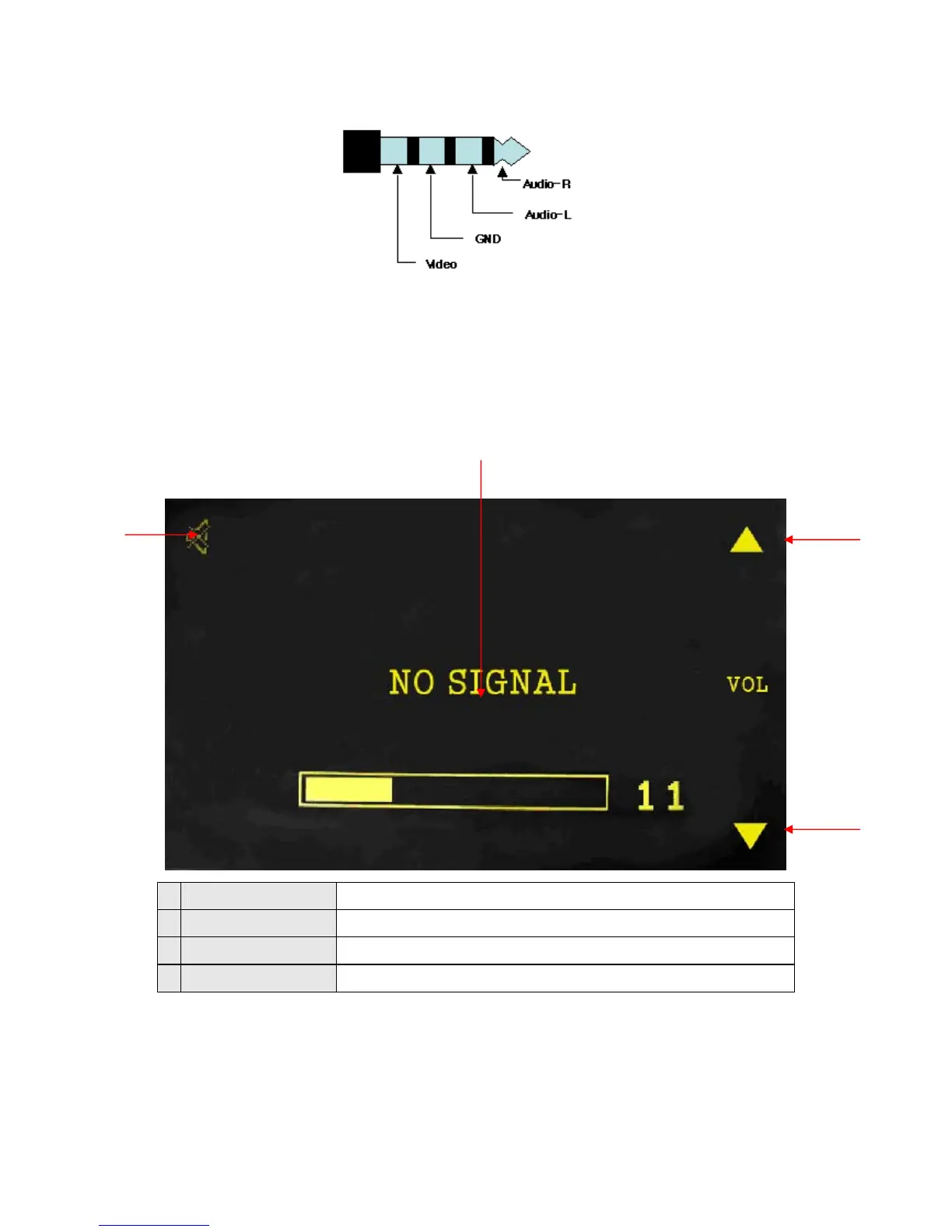
AV Connector assignment
2) Configuration of Screen
You can see the video screen and sound supplied from to AV-IN jack. If you touch the screen,
current set volume, volume button, close button as shown below are displayed. These buttons
disappear after 3 seconds
1 Mute Mute sound
2 Volume UP Increase volume
3 Volume DOWN Decrease volume
4 Volume level bar Show AV-IN volume level
3) Close
If you touch the screen, it returns to the main menu.
①
②
③
④


 To Next Page