17
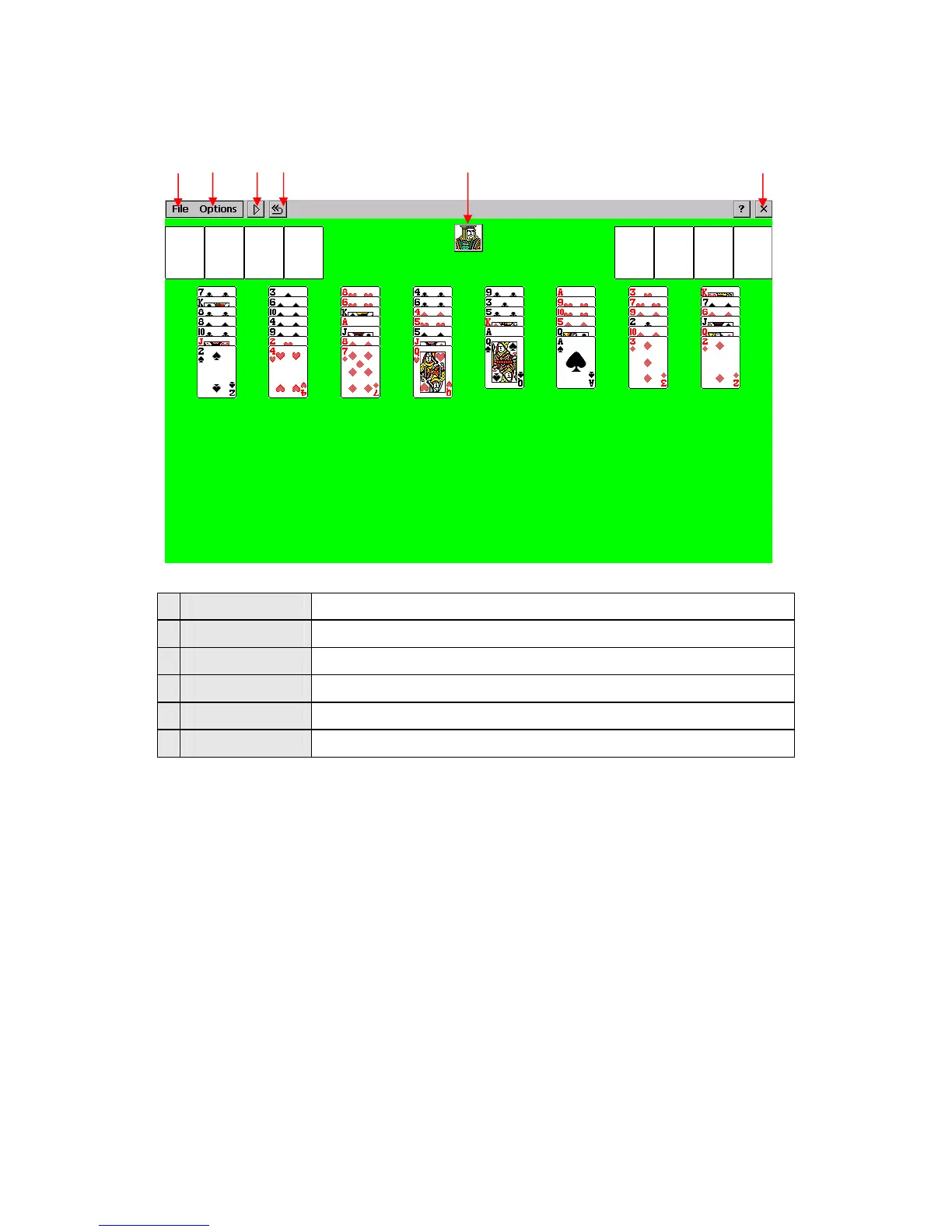
1 File New game, Game restart, Game history, Close menus
2 Option Select options for Menu Hide and Freecell Game
3 New game Start new game
4 Game start Restart game
5 Menu hide Hide the top menu
6 Close Close the game and return to main menu
In order to move a card, select (touch) the card to move and touch a new location to place it.
3) Close
Click the Close button on screen or Close in the file menu to exit the game and return to main menu.
Using AV-In
1) Getting Started
Connect the AV cable between AV device and AV-In jack.
Launch this function by pressing the AV-IN icon on the launcher screen to see the AV screen from
the AV device
*Note: AV cable is supplied in separate sales and only the following pin type jack is supported
① ②
③ ④
⑤ ⑥


 To Next Page