22
3 Background Update Booting image
4 Reset Select GPS Rest, OS Upgrade, Factory Reset.
5 Option Select TV OUT-Enable, Disable.
6
Close Return to main menu screen.
*note: GPS reset should be activated in the open sky after closing all programs. Wait for
about 5minute and check the GPS signal reception in map.
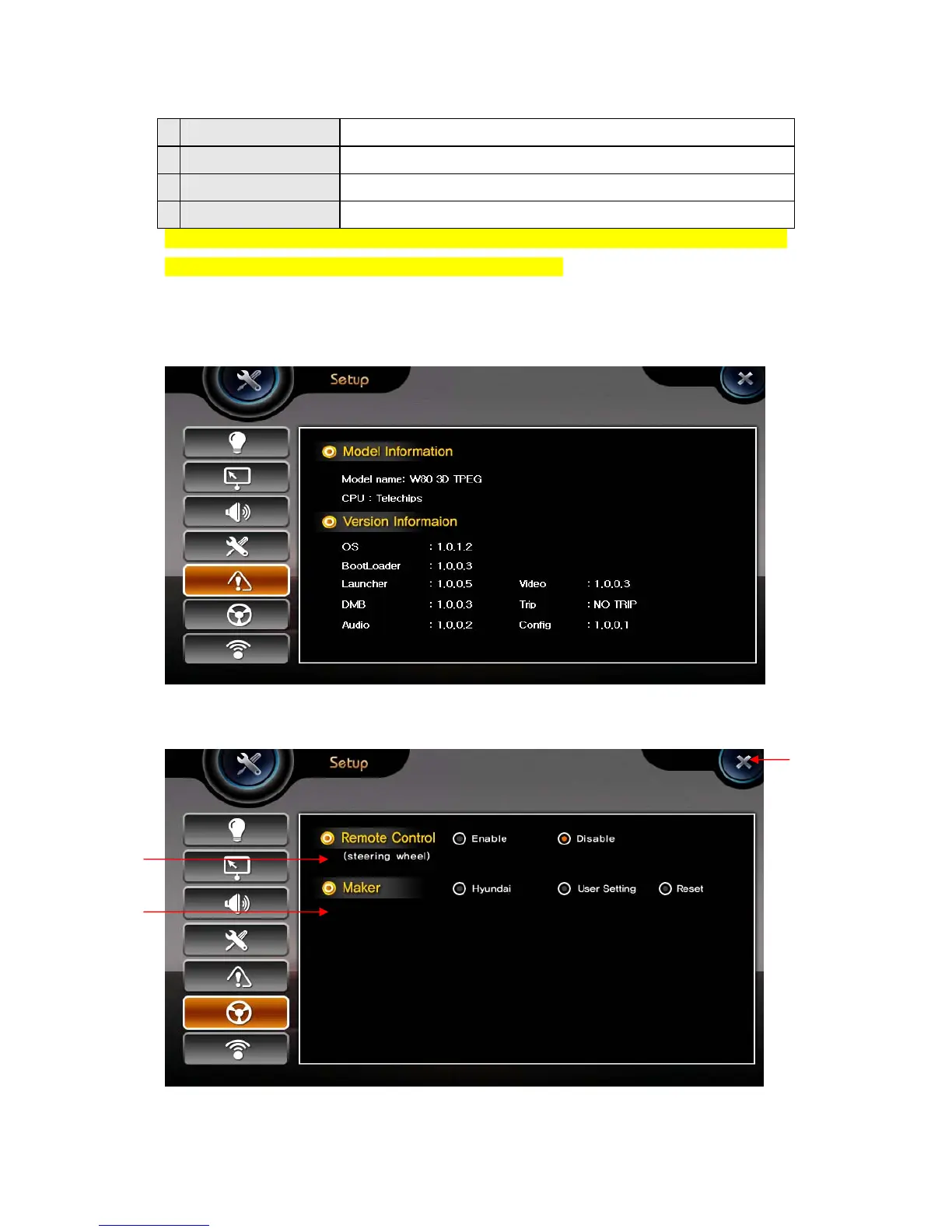
5) System
It shows the version information on embedded applications.
6) Handle remocon setting
①
②
③


 To Next Page