23
1 Remote Control Select Remote Control-Enable, Disable.
2 Maker Select Maker type-Hyundai, User Setting, Reset
3 Close Return to main menu screen.
In case of user setting, after you select a button you have to click same button in
car handle remocon within 3 seconds. If it is late “time is over” message is shown.
If you see this message you have to do same procedure again.
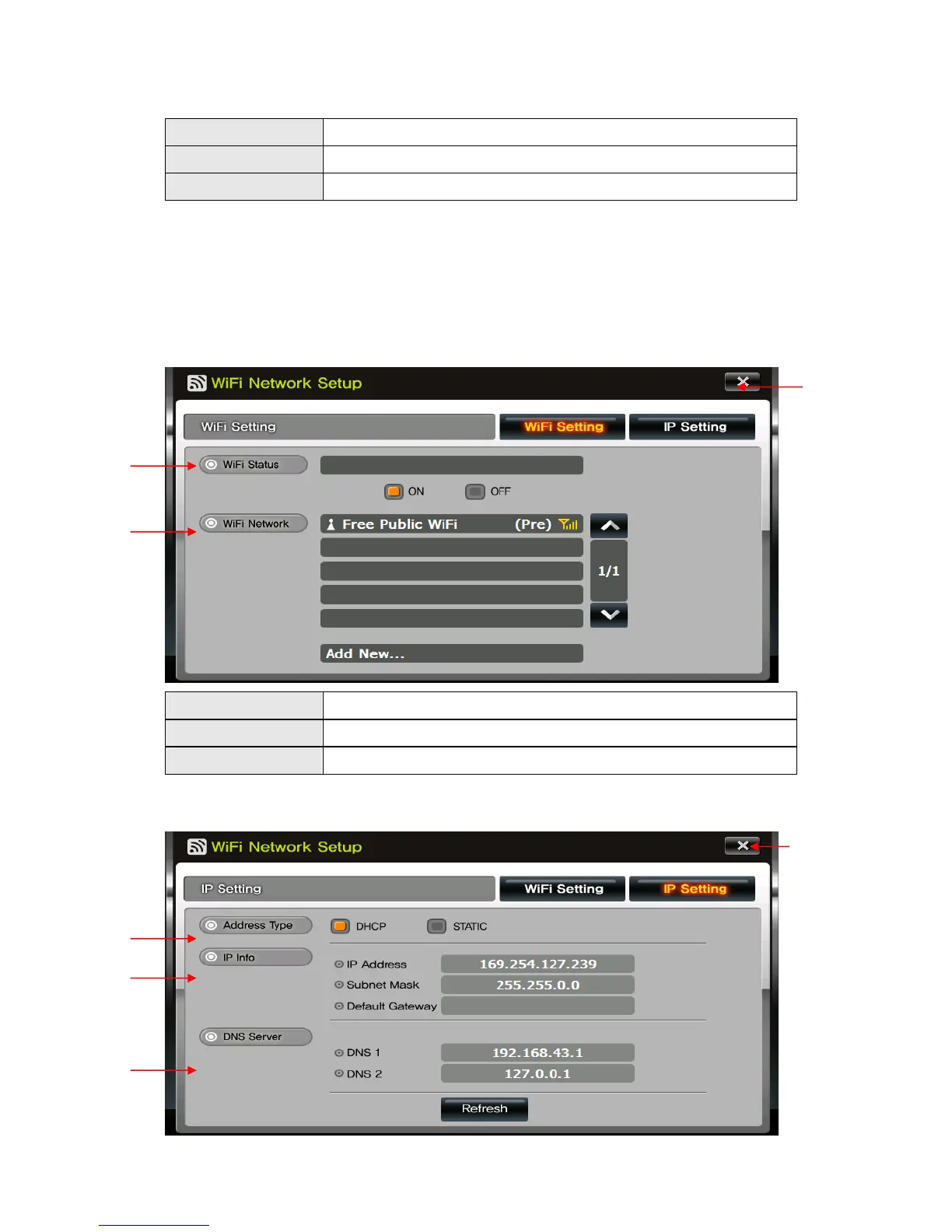
7) WiFi
A. Shows WiFi Setting information.
1 WiFi Status Select WiFi Status-ON, OFF
2 WiFi Network WiFi will be automatically shows on the list.
3 Close Return to Setup menu.
B. Shows IP Setting information.
①
②
③
①
②
③
④


 To Next Page