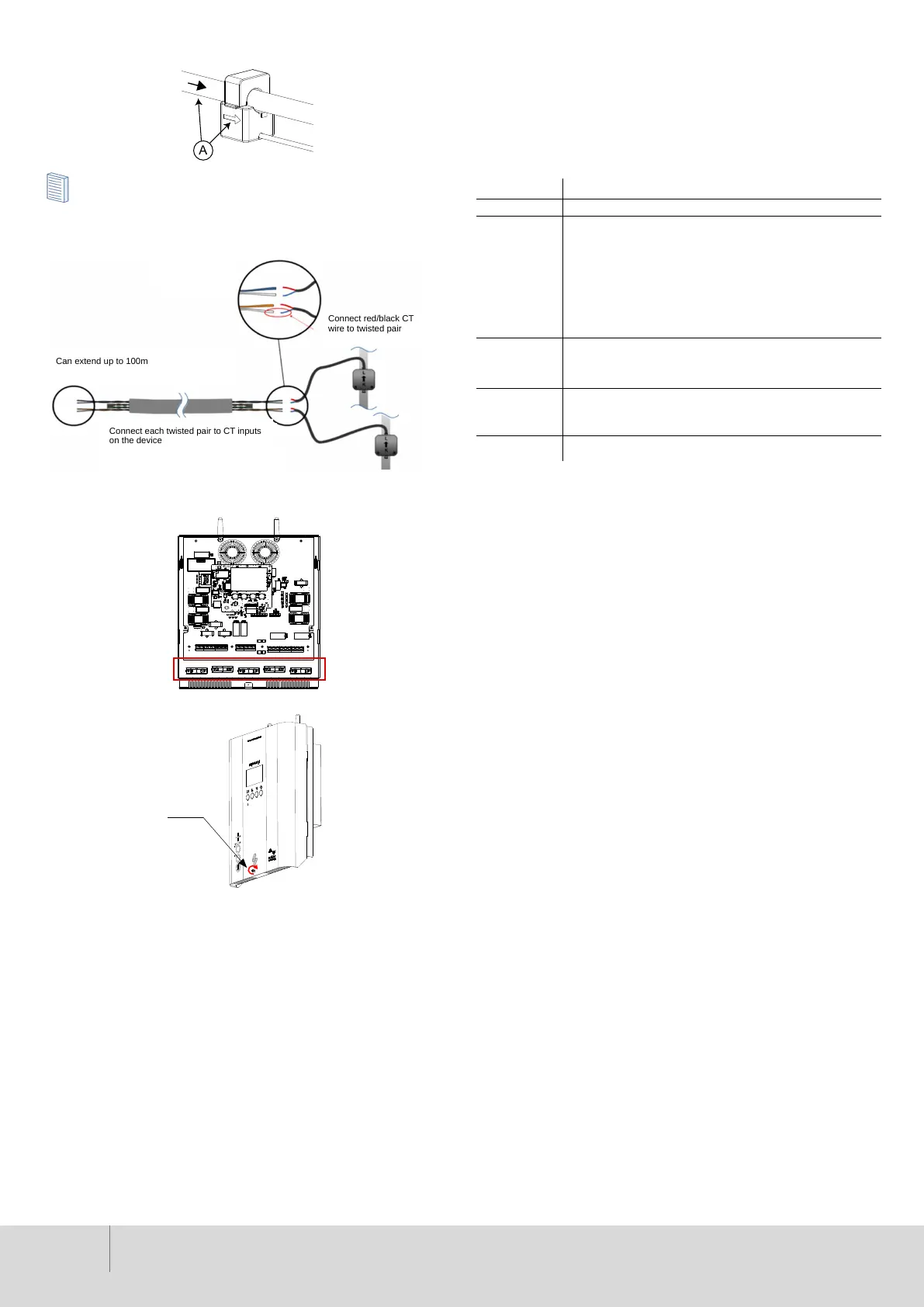
6. Fit CT(s) to live conductors as necessary, with arrow marked in
direction of current ow.
Only one Grid CT (per phase) for the whole installation.
Extending CT
To extend the CT sensor cable, a single pair from a CAT5 cable may be used.
7. Clamp all cables, using the cable clamps provided.
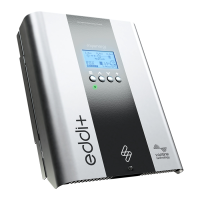
8. Ret the eddi+ cover and tighten the pozi-head screw (1) to secure.
9. Carry out all relevant tests and inspections in accordance with local
regulations, before applying power.
10. Once powered up, follow through the installation assistant set-up
screens to congure the device settings. This will include setting a
passcode to the Installer Settings Menu.
3. Installer Settings
Phase Rotation
Phase Rotation is only used on three phase devices and should correspond
to the wiring of the input terminals. Only the following specic options are
available:
• 1/2/3 (Ph-1 to “L1”, Ph-2 to “L2”, Ph-3 to “L3”)
• 2/3/1 (Ph-2 to “L1”, Ph-3 to “L2”, Ph-1 to “L3”)
• 3/1/2 (Ph-3 to “L1”, Ph-1 to “L2”, Ph-2 to “L3”)
Device Limit
The maximum current that eddi+ will draw per phase (including when
boosting). This is useful if the supply current is limited.
Setting Function Description
None There is no battery system installed
Limit to Gen Will limit the output of the eddi+(except when boosting),
to prevent unwanted draining of an AC coupled battery
system. This setting does not require a CT to monitor the
battery, but does need a CT to monitor the solar/wind
generation.
Note: This setting is to support legacy installations – it is
preferable to install a CT to monitor the battery and use
one of the settings below.
Avoid Drain Stops the eddi+ (or other linked myenergi devices)
draining the battery when using surplus power from the
solar or wind generator.
Avoid Charge Effectively allows the eddi+ (or other linked myenergi
devices) to take priority over the battery when charging
from solar or wind generation.
Avoid Both Provides both of the above functions.
Net Phases
All meter readings from 3-phase myenergi devices will be netted. This means
that surplus generation on ANY phase will be considered to be available for
consumption on ANY other phase. This will allow eddi+ to monitor the total
grid export and import gures.
You will need to net the three phases. To do this, in the eddi+ device menu,
navigate to; Supply Grid > Net Phases and enable net phasing.
Exp Threshold
The amount of export that must be exceeded before eddi+ starts diverting
power to the connected load. Once diverting starts, all the surplus power
less the Export Margin (see below) will be diverted to the connected load.
Export Margin
Sets a minimum level of export power which is maintained when eddi+ is
diverting surplus power to the heater. Normally Export Margin would be
set to 0W (zero watts) and all available surplus will be diverted to the load,
however, it is sometimes desired to have a minimum export level at all times.
Response Delay
Sets a delay before eddi+ starts to divert power (after the Export Threshold
is exceeded).
The default setting is 0s (zero seconds), however, if there is an AC-coupled
battery storage system installed at the property, this may need to be increased.
Load Balancing/Current Limiting
CTs can also be used to limit the current drawn by myenergi devices to avoid
overloading circuits; this is referred to as load balancing or load curtailment.
There are four different ways to limit current and they can be used alone or
combined for more complex situations.
Relays and eSense
eddi+ relays and eSense options allow for numerous wiring congurations
and includes the following features:
• Two independent relays rated at 250V AC, 16A.
• eSense input (Range 3.3-230Vrms. Volt Free Contact; 24V DC Supplied
from the zappi).
• Two temperatures sensor inputs (PT1000)
The two relays can be independently set for several functions, or they can be
set to operate as a pair.
The relay functions include:
• Export Threshold
• Import Threshold
• Operate when heating
• De-stratication pump control
• Timed operation
1
Grid Limit /Import Limit
The limit that can be drawn from the grid connection i.e. maximum import
current or the main property fuse rating. This is a global limit so all paired
myenergi devices will be included when limiting.
Third Party AC Battery
If the property has a static AC-coupled battery system installed, it’s possible
to get the eddi+ to operate as shown in the following table, provided a CT
has been installed to monitor the battery inverter.
04/16
Connect each twisted pair to CT inputs
on the device
Can extend up to 100m
Connect red/black CT
wire to twisted pair


 To Next Page
 Loading...