
 Need help?
Do you have a question about the Myenergi zappi Series and is the answer not in the manual?
Essential safety information for operating and installing the zappi unit.
Information on the environmentally responsible disposal of used electrical devices.
Details on the ownership and usage rights of the operating instructions.
List of items included with the tethered zappi charging units.
List of items included with the untethered zappi charging units.
Key features and capabilities of the zappi eco-smart EV charge point.
A diagram illustrating the zappi within an energy management system.
Details the physical components and indicators of the zappi unit.
Explains each element of the zappi's graphical LCD display.
Defines icons used on the zappi display for status and modes.
Explains the meaning of the RGB indicator light colours.
Illustrates and explains various status screens displayed by the zappi.
Describes various states of the EV charging process shown on the display.
Explains the FAST, ECO, and ECO+ charging modes.
Details how to use the Manual Boost function for charging.
Explains the Smart Boost function for timed charging.
Step-by-step guide to activating the Smart Boost feature.
How to set target time and energy for Smart Boost.
How to program scheduled boost times for charging.
Using eSense to boost charge during economy tariff periods.
How to enable and configure the PIN lock for the zappi.
How the socket lock works for untethered units.
Overview of the main menu options for logs, events, and readings.
Displays information about linked myenergi devices.
Configuration options for charging modes and boost settings.
General device settings including time, date, display, and language.
Settings for backlight, contrast, buzzer, and lock options.
Access to advanced menu and settings (passcode protected).
Detailed options for supply grid, linked devices, CT config, and system.
Describes settings for time, date, and supply grid configurations.
Passcode-protected settings for supply grid, device limits, and battery.
Settings for net phases and minimum export power.
Configuration for connected Current Transformers (CTs).
How to group CTs for netted readings and current limiting.
Setting current limits for CT groups to avoid overloading circuits.
Configuration for the eSense input to activate boost during economy tariffs.
How to wirelessly link multiple myenergi devices together.
Step-by-step guide for pairing devices in a network.
Adjusting RF channel and removing devices from the network.
Accessing and changing settings for linked devices.
Setting priority for load controlling linked devices.
Viewing status and power levels of all linked devices.
Step-by-step guide for physically installing the zappi unit.
Important warnings and requirements for electrical connection.
Details on connecting single and three-phase power supplies.
Requirements and methods for earthing the zappi unit.
Instructions for connecting the mains cable and CTs.
Wiring diagrams and instructions for single-phase installations.
Wiring diagrams and instructions for three-phase installations.
How to wire the eSense input for economy tariff detection.
A comprehensive diagram showing wiring connections for the system.
Guidelines for installing and connecting Current Transformers (CTs).
How to extend the sensor cable using CAT5 or telephone cable.
Using the harvi device for wireless CT sensor connection.
Key rules for installing Grid CTs and other CTs.
Step-by-step guide for fitting the zappi enclosure cover.
Options for load balancing, current limiting, and three-phase systems.
Using CTs for three-phase installations and netting phases.
Configuring zappi with AC coupled battery storage systems.
Managing surplus power with DC coupled battery systems.
Prioritizing zappi over diverters and installing with voltage optimisers.
Explains the integrated RCD protection for safety.
Protection against loss of PEN conductor and PE continuity issues.
Protection against welded contacts and over-current conditions.
Protection against abnormal supply voltage levels.
Protection against overheating of the zappi unit.
Steps for powering on the unit and performing pre-installation checks.
Solutions for blank display and common ECO+ mode charging problems.
Solutions for when generation power is not displayed correctly.
Lists common fault messages and their corresponding actions.
Actions for overheating and voltage mismatch faults.
Details the product warranty terms and conditions.
Information on how to register the product.
Overview of zappi's performance characteristics and modes.
Electrical ratings, protection, and input details.
Physical dimensions, protection degree, and weight.
Detailed explanation of ECO, ECO+, and FAST charging modes.
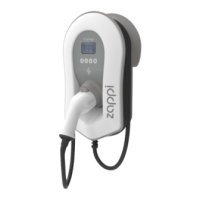
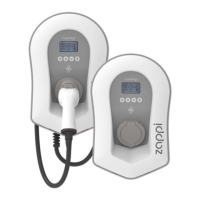
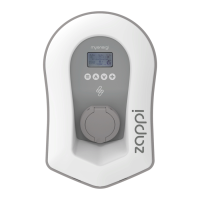
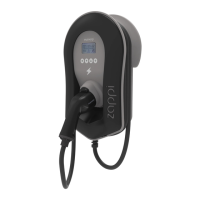
Lists available zappi models with their rating, connector, and colour.
Information about the mobile app for controlling and monitoring devices.
Contact information and guidance for technical assistance.
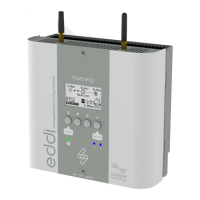
Overview of the myenergi eddi energy diverter.
Pages to record details of installed myenergi devices and their configuration.
 General
| Enclosure Rating | IP65 |
|---|---|
| Model | zappi |
| Connector Type | Type 2 (IEC 62196) |
| Maximum Charging Current | 32A |
| Supply Voltage | 230V (single-phase), 400V (three-phase) |
| Grid Connection | Single or Three Phase |
| Overcurrent Protection | Yes |
| RFID | Yes |
| WiFi Connectivity | Yes |
| Ethernet Connectivity | Yes |
| Smart Features | remote control via app |
| Dynamic Load Balancing | Yes |
| Solar Compatibility | Yes |
| Operating Temperature | -25°C to +40°C |
| Mounting | Wall-mounted or pole-mounted |
| Compatibility | All EVs with Type 2 connector |
| Charging Power | 7.4kW (single-phase), 22kW (three-phase) |





 To Next Page