Need help?
Do you have a question about the myPhone Go! and is the answer not in the manual?
How to install the battery in the device.
Guide to inserting microSIM cards into the smartphone.
Instructions for inserting and using memory cards.
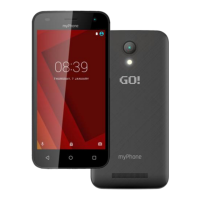
 General
| Display Resolution | 480 x 854 pixels |
|---|---|
| SIM | Dual SIM (Micro-SIM, dual stand-by) |
| FM Radio | Yes |
| Memory Card Slot | microSD, up to 32 GB |
| Camera | 5 MP rear, 2 MP front |
| Bluetooth | 4.0 |
| Processor | 1.3 GHz Quad-core |
| Expandable Storage | Yes, up to 32 GB |
| Network | GSM / HSPA |

 To Next Page