Need help?
Do you have a question about the myPhone Rumba and is the answer not in the manual?
Read and follow safety guidelines to avoid danger or illegality.
Covers prohibited use, road safety, restricted areas, and interference warnings.
Guidelines for battery care, charging, and accessory use, including water protection.
Details the items included in the phone box for new users.
Lists key technical features and capabilities of the device.
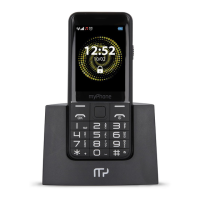
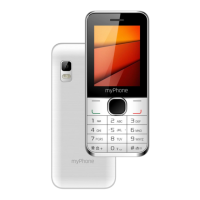
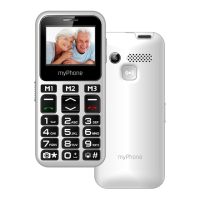
Overview of the phone's design and physical components.
Step-by-step guide for powering the device on and off.
Guide on inserting SIM card, memory card, and battery correctly.
Procedures for charging the phone's battery and understanding indicators.
Navigation instructions for accessing the phone's main menu and options.
Adjusting ringtones, profiles, and other user preferences.
Instructions for making and answering phone calls.
Sending and managing text messages with different input methods.
Adding, searching, editing, and deleting contacts.
Using the emergency SOS feature for alerts and notifications.
Setting up speed dial and assigning numbers to M1/M2/M3 buttons.
Adding photos to contacts for visual identification.
How to connect the phone to a PC via USB for data transfer.
Making international calls and configuring time, date, and language.
Adjusting screen brightness, wallpaper, and animations.
Using alarms, the torch, and the built-in calculator.
Reviewing call history and playing music files.
Using the FM radio and managing calendar events.
Pairing devices and exchanging files via Bluetooth.
Taking photos and viewing them using the phone's camera.
Solutions for common problems like PIN entry or network errors.
Guidelines for battery care and general device upkeep.
Safety precautions for driving, surroundings, and device usage.
Network standards, SAR, and correct disposal of equipment and batteries.
 General
| Brand | myPhone |
|---|---|
| Model | Rumba |
| Category | Cell Phone |
| Language | English |


 To Next Page