EasyManua.ls Logo

MyQ CHAMBERLAIN B2215T - User Manual

Default Icon
20 pages
Print Icon
To Next Page IconTo Next Page
Loading...
®
®
USER'S GUIDE
FOR RESIDENTIAL USE ONLY
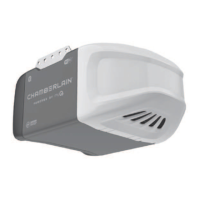
Chain Drive Models - C2102, C2202T, C2212T, C2405T, D2101, D2405T
Belt Drive Models - B2202T, B2210T, B2211T, B2212T, B2215T, B2401T,
B2405T, B4505T
Wi-Fi
®
Garage Door Opener
Please read this guide and the enclosed safety materials carefully!
The door WILL NOT CLOSE unless the Protector System® is connected and properly aligned.
Periodic checks of the garage door opener are required to ensure safe operation.
This garage door opener is ONLY compatible with myQ® and Security+ 2.0® accessories.
DO NOT install on a one-piece door if using devices or features providing unattended close.
Unattended devices and features are to be used ONLY with sectional doors.
Attach warning labels to the location indicated on label.
Download the myQ
®
App to Set Up an Account and Connect
Open and close your door, get alerts and set schedules from anywhere. Connected smart garage door openers also receive software updates to
ensure the opener has the latest operational features. See page 1.
Available on most iOS and Android Devices
Download the free BILT App
before assembly
Easy step-by-step
interactive 3D instructions
for this product can be found in
Download the free myQ
®
App
Monitor and control your garage
from anywhere and get real-time alerts
with peace of mind.
To register your garage door opener to receive updates and offers from Chamberlain, visit chamberlain.registria.com or use the icon below:
CHAMBERLAIN
1. Take a photo of the camera icon including
the points ( ).
2. Send it in by texting the photo to 71403
(US) or visit www.chamberlain.photo
(Global).
1
Question and Answer IconNeed help?

Do you have a question about the MyQ CHAMBERLAIN B2215T and is the answer not in the manual?

Summary

Wi-Fi Garage Door Opener Setup

Important Installation Instructions

Installation Safety Warnings

Crucial warnings and instructions to reduce the risk of severe injury or death during installation.

Critical Safety Instructions

General Safety Precautions

Essential safety guidelines for operating and interacting with the garage door opener.

Smartphone Connectivity

Remote and Keyless Entry Programming

Safety Reversing Sensors Installation

The Protector System Setup

Detailed instructions for installing and aligning the Protector System safety reversing sensors.

Garage Door Opener Adjustment Basics

Setting Travel Limits and Force

Programming Door Travel Limits

Step-by-step guide to set the fully open and fully closed positions for the garage door.

Automatic Force Set Up

Procedure for the opener to automatically sense and set the force required for door operation.

Safety System Testing Procedures

Testing the Safety Reversal System

How to test the safety reversal system by ensuring the door reverses upon contact with an obstruction.

Testing the Protector System Sensors

Verifying that the Protector System sensors prevent the door from closing with obstructions.

Garage Door Opener Safety Best Practices

Safe Operation Principles

Key principles for safe operation, emphasizing the door as a moving object and child safety.

MyQ CHAMBERLAIN B2215T Specifications

General IconGeneral
BrandChamberlain
ModelB2215T
TypeGarage Door Opener
Power SourceElectric
Horsepower1/2 HP
Drive SystemBelt Drive
Smart Home IntegrationYes
Wi-Fi ConnectivityYes
Battery BackupNo
Max Door Height7 feet
ConnectivityWi-Fi
LightingLED
Smartphone ControlYes
Safety FeaturesSafety Sensors
Remote ControlYes
SecurityRolling Code Technology

Related product manuals