EasyManua.ls Logo

MyQ CHAMBERLAIN B4603TC - User Manual

MyQ CHAMBERLAIN B4603TC
40 pages
Print Icon
To Next Page IconTo Next Page
Loading...
®
®
Wi-Fi
®
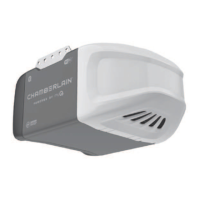
LED Garage Door Opener
USER'S GUIDE
Models B4603TC, B4643TC, B4613TC, B6713TC, AND B6753TC
FOR RESIDENTIAL USE ONLY
Please read this guide and the enclosed safety materials carefully!
The door WILL NOT CLOSE unless the Protector System
®
is connected and properly aligned.
Periodic checks of the garage door opener are required to ensure safe operation.
This garage door opener is ONLY compatible with myQ
®
and Security+ 2.0
®
accessories.
DO NOT install on a one-piece door if using devices or features providing unattended close.
Unattended devices and features are to be used ONLY with sectional doors.
Attach warning labels to the location indicated on label.
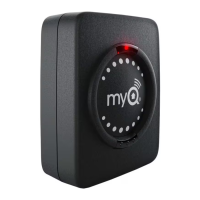
Download the myQ
®
App to Set Up an Account and Connect
Open and close your door, get alerts and set schedules from anywhere. Connected smart garage door openers also receive software updates to
ensure the opener has the latest operational features. See page 1.
Available on most iOS and Android Devices
Download the free BILT App
before assembly
Easy step-by-step
interactive 3D instructions
for this product can be found in
Download the free myQ
®
App
Monitor and control your garage
from anywhere and get real-time alerts
with peace of mind.
To register your garage door opener to receive updates and offers from Chamberlain, visit chamberlain.registria.com or use the icon below:
CHAMBERLAIN
1. Take a photo of the camera icon including
the points ( ).
2. Send it in by texting the photo to 71403 (US)
or visit www.chamberlain.photo (Global).
1
Question and Answer IconNeed help?

Do you have a question about the MyQ CHAMBERLAIN B4603TC and is the answer not in the manual?

Summary

myQ App Setup and Product Registration

Download and Operate with myQ App

Connect your smart garage door opener for remote control, alerts, and updates.

Register Opener for Updates and Offers

Register your opener to receive updates and offers from Chamberlain.

Understanding Safety Symbols and Signal Words

Interpreting Warning and Caution Labels

Explains the meaning of WARNING and CAUTION labels for potential hazards.

Unattended Operation Restricted to Sectional Doors

Specifies that unattended close features are only for sectional doors.

Critical Installation Safety Warnings

General Safety Precautions for Installation

Essential warnings to prevent severe injury or death during installation.

Power Connection Methods

Details on typical wiring (plug-in) and permanent wiring methods.

Key Safety Instructions for Operation

Child Safety and Remote Control Use

Keep remotes from children; never let them play with controls.

Safe Door Movement and Obstruction Avoidance

Keep door in sight; avoid crossing the path of a moving door.

FCC;IC Compliance and Radio Interference

Information on compliance with FCC/IC rules and managing radio frequency interference.

Smartphone Connectivity and Wi-Fi Testing

Smartphone Connection Requirements

Lists necessary items like a Wi-Fi enabled device and internet connection.

Wi-Fi Signal Strength Testing and Improvement

Guides on how to check and improve Wi-Fi signal strength in the garage.

myQ App Setup and Wi-Fi Status Indicators

Setting Up Your myQ App Account

Steps to download and set up the myQ app for remote operation.

Interpreting Wi-Fi Status LEDs

Explains the meaning of different LED colors and patterns for Wi-Fi status.

Programming Remotes and Erasing Memory

Programming Remote Controls

Instructions for programming remote controls using the LEARN button or control panel.

HomeLink Vehicle Integration Guide

Information on integrating HomeLink with your garage door opener.

Erasing Remote Controls and Wi-Fi Data

Procedures to erase remote control, keyless entry, and Wi-Fi network memory.

Camera Setup and Status Indicators

Setting Up the Integrated Camera

Steps to set up the camera for models B4643TC and B6753TC.

Interpreting Camera Status LEDs

Explains the meaning of various LED indicators on the camera.

Manual Door Operation and Lockout

Disengaging Trolley for Manual Door Use

How to pull the emergency release handle to operate the door manually.

Lockout Feature Explanation

Explains how to use and disengage the lockout feature for manual door movement.

Battery Backup Operation and Status

Understanding Battery Backup Functionality

Details on how the battery backup works during power outages and its limitations.

Interpreting Battery Status LEDs

Explains the meaning of green, orange, and red battery status LEDs.

Door Control Panel Identification

Multi-Function Control Panel Overview

Identifies buttons and LEDs on the multi-function control panel.

Motion-Detecting Control Panel Overview

Identifies buttons, LEDs, and sensors on the motion-detecting control panel.

Safety Reversing Sensors (Protector System)

Installing and Aligning Safety Sensors

Instructions on installing and aligning safety reversing sensors for proper operation.

Troubleshooting Sensor LED Indicators

How to diagnose and fix issues indicated by sensor LED status.

Introduction to Adjustments and Controls

Understanding Travel Limit Adjustments

Explains how electronic controls adjust door travel and force.

Locating Programming Buttons

Identifies the UP, DOWN, and Adjustment buttons on the opener panel.

Programming Travel Limits and Force Setup

Programming Travel Limits Step-by-Step

Detailed steps for programming the door's open and close travel limits.

Automatic Force Setup Process

How the opener automatically senses and sets the force for door operation.

Testing Door Safety Features

Testing the Safety Reversal System

Procedure to test the door's ability to reverse upon contact with an obstruction.

Testing the Protector System Sensors

How to verify the proper function of the safety reversing sensors.

Routine Maintenance Procedures

Monthly and Yearly Maintenance Tasks

Recommended monthly and yearly checks for door and opener maintenance.

Remote Control Battery Replacement

Instructions for replacing the battery in the remote control transmitter.

Troubleshooting Common Issues

Opener Will Not Close or Beeps

Solutions for common problems like the opener not closing or beeping.

HomeLink and Wi-Fi Connectivity Issues

Tips for troubleshooting HomeLink programming and Wi-Fi connection issues.

Automatic Garage Door Opener Safety Guidelines

General Safety Precautions for Operation

Emphasizes safe operation and preventing child access to controls.

Garage Door Openers Are Not Toys

Discusses teaching children about garage door opener safety and dangers.

Preventative Maintenance and Testing Procedures

Visual Inspection and Lubrication Guide

Guide for visually checking door components and applying lubrication.

Testing Door Operation and Safety Features

Procedures for testing manual door operation and opener safety features.

Product Warranty and Repair Parts

Chamberlain Limited Warranty Details

Outlines the warranty period for different components and terms of coverage.

MyQ CHAMBERLAIN B4603TC Specifications

General IconGeneral
BrandMyQ
ModelCHAMBERLAIN B4603TC
CategoryGarage Door Opener
LanguageEnglish

Related product manuals