EasyManua.ls Logo

MyQ LiftMaster 8155W - User Manual

MyQ LiftMaster 8155W
58 pages
Print Icon
To Next Page IconTo Next Page
Loading...
USER'S GUIDE
FOR RESIDENTIAL USE ONLY
8155W
8164W
8165W
8587W
8365W-267
8160W
8160WB
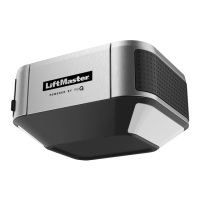
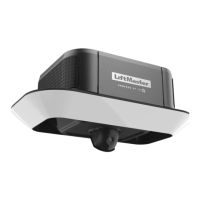
Wi-Fi® Garage Door Opener
Please read this guide and the enclosed safety materials carefully!
The door WILL NOT CLOSE unless the Protector System® is connected and properly aligned.
Periodic checks of the garage door opener are required to ensure safe operation.
This garage door opener is ONLY compatible with myQ® and Security+ 2.0® accessories.
DO NOT install on a one-piece door if using devices or features providing unattended close.
Unattended devices and features are to be used ONLY with sectional doors.
Attach warning labels to the location indicated on label.
To register your garage door opener to receive updates and offers from LiftMaster, visit liftmaster.registria.com or use the icon below:
1. Take a photo of the camera icon
including the points ( ).
2. Send it in by texting the photo to
71403 (US) or visit
www.liftmaster.photo (Global).

Table of Contents

Question and Answer IconNeed help?

Do you have a question about the MyQ LiftMaster 8155W and is the answer not in the manual?

Summary

Safety Symbol and Signal Word Review

Unattended Operation

Important Installation Instructions

Power

Information on electrical connections and safety precautions.

Wiring Options

Details on typical and permanent wiring methods.

Important Safety Instructions

Connect With Your Smartphone

Wi-Fi Signal Strength Testing

Guide to checking and improving Wi-Fi signal for opener.

Wi-Fi Status LED

Explanation of LED indicators for Wi-Fi connectivity.

Programming

Remote Control Programming

Steps to program remote controls to the garage door opener.

Wireless Keyless Entry

Instructions for programming keyless entry devices.

Erase Memory

Procedures to erase stored remote and keyless entry codes.

Operation

Manual Door Operation

How to open and close the garage door manually.

Lockout Feature

Explanation of the lockout feature for manual operation.

Battery Backup

Details on the battery backup system for power outages.

Door Controls

Overview of multi-function and push button door controls.

The Protector System (Safety Reversing Sensors)

Adjustment

Introduction to Adjustments

Explains electronic controls for door travel setup.

Programming Buttons Overview

Identifies buttons used for travel limit programming.

1 - Program the Travel

Step-by-step guide to setting door travel limits.

2 - Automatic Force Set Up

Procedure for the opener to automatically set force.

3 - Test the Safety Reversal System

Instructions for testing the safety reversal mechanism.

4 - Test the Protector System

Guide for testing the safety reversing sensors.

Maintenance

Monthly and Annual Checks

Tasks for monthly and annual upkeep and lubrication.

Remote Control Battery Replacement

How to replace batteries in remote controls safely.

Troubleshooting Common Issues

Solutions for common garage door opener problems.

Repair Parts

Warranty Information

Automatic Garage Door Opener Safety & Maintenance Guide

General Opener Safety

Key safety principles for operating garage door openers.

Opener Safety for Children

Precautions to keep children safe around garage door openers.

Routine Maintenance Can Prevent Tragedies

Visual Inspection and Lubrication

Checking door components and applying lubricant.

Manual Door Operation Test

Testing the door's balance and smooth movement.

Safety Feature Testing

Verifying the functionality of safety sensors and reversal systems.

MyQ LiftMaster 8155W Specifications

General IconGeneral
TypeChain Drive
Horsepower1/2 HP
Wi-Fi ConnectivityYes
Battery BackupNo
Max Door Height7 feet
Voltage120V
MotorDC Motor
Speed7 inches per second
Smart Home IntegrationMyQ
Safety FeaturesSafety sensors
SecurityRolling Code Technology
Remote ControlIncluded
LightingLED
Warranty1 year

Related product manuals