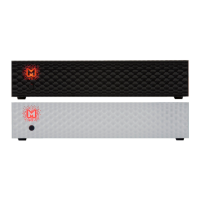
User’s Manual 9
Quick Start – Immediate Playback SPDIF and TOSLINK
Connect the analog outputs to your powered speakers, power amplier or preamplier. Alternatively
use headphones. Connect the digital source (CD player) to the DAC. Power up the player, power
amplier and the Brooklyn Bridge. The DAC has default (out of the box) settings hand picked by our
team to deliver optimal sound quality. Choose the input you would like to use.
Attention! To prevent damage, do not turn on your speakers on
until all connections have been made.
Do not cover ventilation holes! It’s not recommended to stack
or rack mount the Brooklyn Bridge. It may result in overheating
the device!
6. Windows installation and conguration
• Note that for proper operation it is necessary to install the USB2 driver (Windows only) and Mytek
Control application. Both these have separate installers
6.1 Windows – USB 2.0 driver installation
To simplify installation it is recommended to rst install the drivers before the unit is connected to the
computer. The latest drivers are available at mytekdigital.com
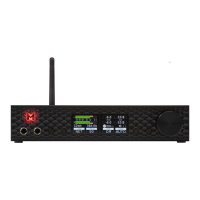
11. Wi-Fi antenna connector
12. Optional external DC/Battery Power input 12VDC. Connecting a large external battery or large
power supply may have positive impact on sound quality
13. The build-in automatic power supply operates worldwide in the range of 100V to 240V AC


 To Next Page