76 NAB EFTPOS Mobile Terminal Guide
The merchant must have access to a Wi-Fi hotspot.
If the merchant does not have access to a Wi-Fi hotspot, the merchant must speak to their telephone provider to help them
set this up.
Make sure that the base and terminal have been paired for Bluetooth (refer to Pair the terminal and base for Bluetooth on
page 68).
Call the Merchant Service Centre to help direct you through the steps to set up the terminal for Broadband Internet via Wi-Fi.
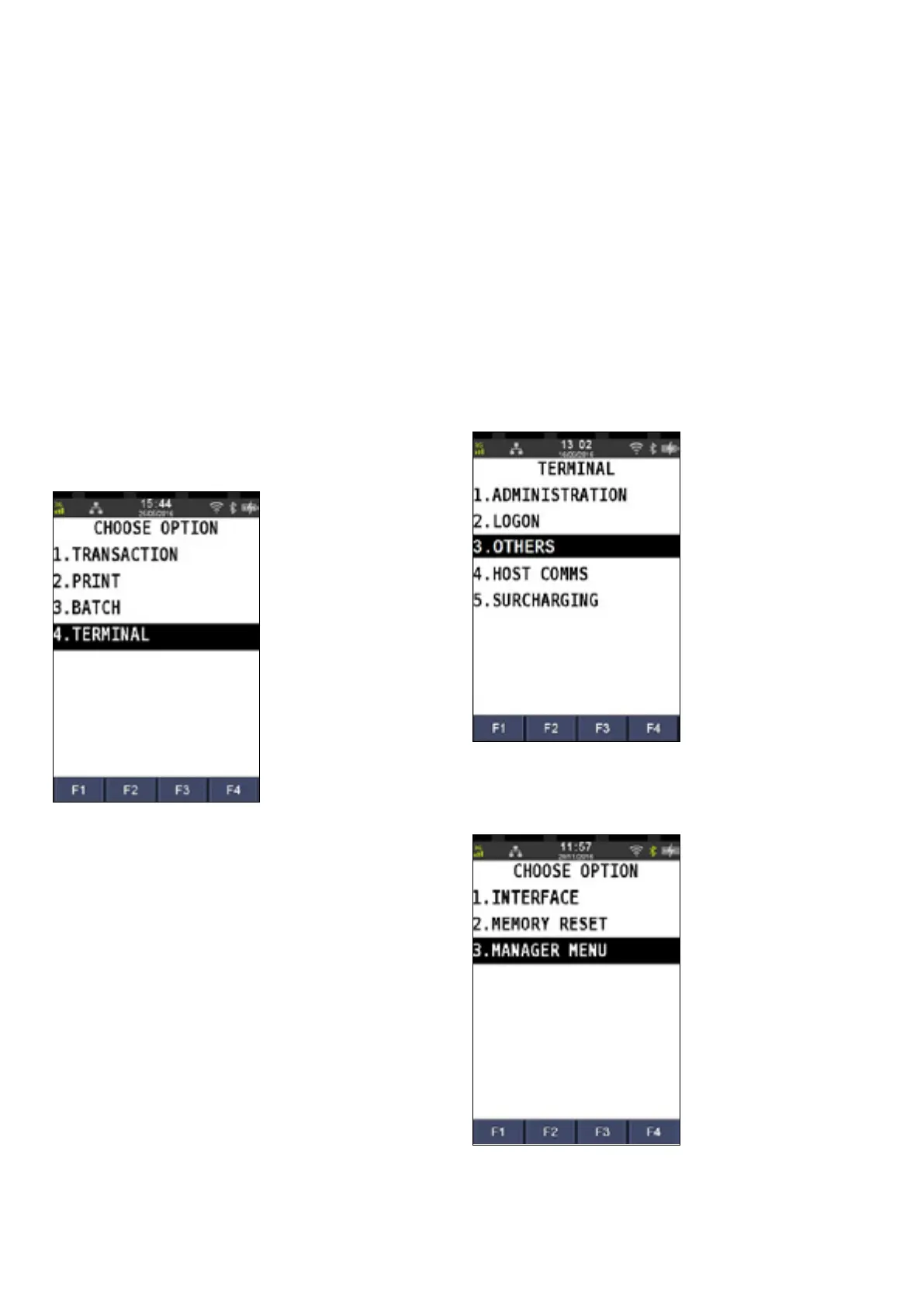
Step 1
Press the Menu key
Step 2
Press 4 to select Terminal
Step 3
Press 3 to select Other
Step 4
Press 3 to select Manager Menu
The merchant copy of the voided receipt will
print automatically.
SET UP THE TERMINAL FOR BROADBAND INTERNET VIA
WI FI COMMUNICATION



 To Next Page