EN /
4
I Setup and basics
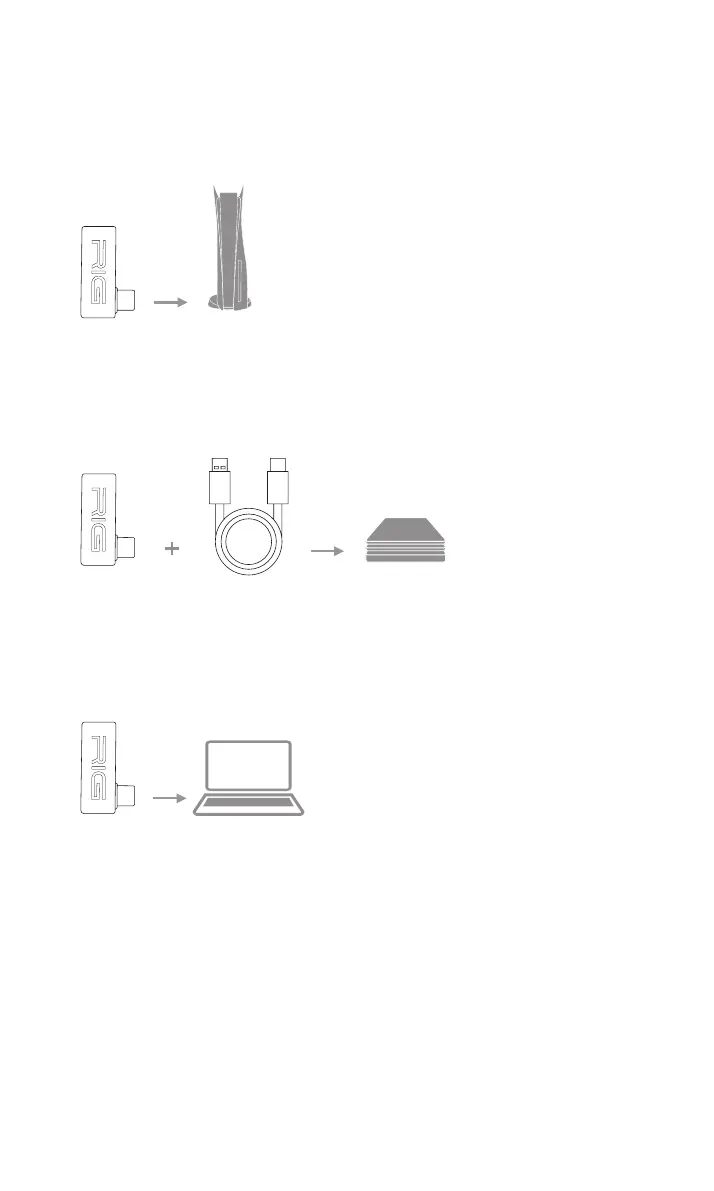
Setup PS5
Setup PS4
1. Connect your dongle using a USB-C to USB-A adaptor to the
Setup PC
1. Connect your dongle to the USB-C port of your PC or laptop.
2. To adjust system audio settings, check your console user guide.
Attention if you do not have USB-C port on your PC you will need
to use a USB-C to USB-Adaptor.
PlayStation 4®
PlayStation 5®
Set up Nintendo Switch
1. You can directly connect your dongle to the USB-C port of your
console.
2. When docked you need to use a USB-C to USB-A adaptor to
connect your dongle to your console.


 To Next Page