Need help?
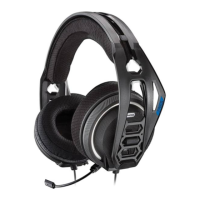
Do you have a question about the Nacon Rig 400 Series and is the answer not in the manual?
Steps to connect headset components for optimal fit and sound.
Read safety guide for important safety, charging, battery, and regulatory information.
Instructions for setting up the headset with a PlayStation 4 console.
Instructions for setting up the headset with an Xbox One console.
Guide on how to adjust the headset volume using the slider control.
Instructions on how to mute the headset microphone using the switch.
Contact numbers for technical support in various languages, including English.
 General
| Driver Size | 40 mm |
|---|---|
| Frequency Response | 20 Hz - 20 kHz |
| Impedance | 32 Ohms |
| Microphone | Yes |
| Cable Length | 1.5 m |
| Microphone Frequency Response | 100 Hz - 10 kHz |
| Form Factor | Over-Ear |
| Type | Over-ear |
| Connection | Wired |
| Connectivity | 3.5mm jack |
| Connector | 3.5mm |

 To Next Page