Need help?
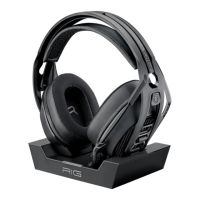
Do you have a question about the Nacon RIG 800 PRO HX and is the answer not in the manual?
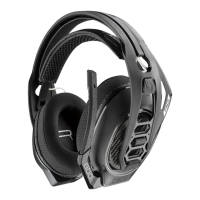
Adjusting the headset fit for personalized comfort using size indicators.
Charging the headset to 100% using the provided charging solution.
Understanding the headset's charge status indicators from 0-99%.
Connecting the headset to PC or Xbox consoles for audio and communication.
Turning the headset on and off for power management.
Disconnecting the headset from the wireless dongle or charging base.
Adjusting microphone monitoring levels for clear communication.
Configuring sound settings for optimal audio output on Xbox.
 General
| Product type | Headset |
|---|---|
| Product color | Black |
| Wearing style | Head-band |
| Virtual surround | Yes |
| Recommended usage | Gaming |
| Compatible products | XBOX Series/XBOX One/Windows |
| Sound pressure level (max) | 111 dB |
| Connectivity technology | Wireless |
| Impedance | 32 Ω |
| Driver unit | 40 mm |
| Ear coupling | Circumaural |
| Headphone frequency | 20 - 20000 Hz |
| Microphone type | Boom |
| Microphone frequency | 100 - 10000 Hz |
| Battery type | Built-in battery |
| Continuous audio playback time | 24 h |
| Package type | Box |

 To Next Page