Need help?
Do you have a question about the Nacon RIG 500 PRO Series and is the answer not in the manual?
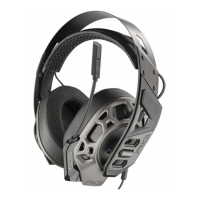
Adjusting headband size and changing ear cushions for optimal fit.
Assembling headset components for proper fit and sound configuration.
Guide to headset volume adjustment using the volume wheel and controller.
Instructions to adjust system volume by consulting the console user guide.
Muting the microphone by fully lifting the boom arm.
 General
| Connectivity | Wired |
|---|---|
| Driver Size | 50 mm |
| Frequency Response | 20 Hz - 20 kHz |
| Impedance | 32 Ohms |
| Microphone | Yes |
| Microphone Frequency Response | 100 Hz - 10 kHz |
| Type | Over-ear |
| Compatibility | PC, Xbox One, PS4, Mobile |
| Connection | 3.5mm jack |

 To Next Page