Need help?
Do you have a question about the Nacon RIG 800 Series and is the answer not in the manual?
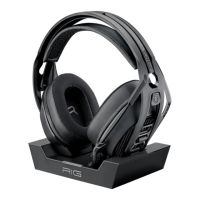
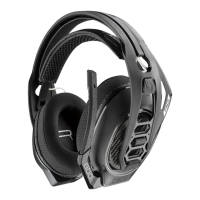
Headset components snap into the headset frame to configure the best fit and sound by adjusting earcups.
Connect adapter to PS4, power on, check updates, and configure audio output settings.
Connect adapter to Xbox One, power on, check for updates, and assign device options.
Connect adapter to PC. For RIG 800HX/LX, set the switch on the back of the adapter to 'PC'.
It takes up to 4.5 hours to fully charge. Headset LED is red while charging and turns off when complete.
Use the top headset dial for game/chat volume and the bottom dial for master volume.
Lift the boom to a full stop to mute the microphone. Do not force the boom past its limits.
Cycle through EQ modes (Pure, Seismic, Intensify, Vocal) by tapping the EQ button.
Press and hold the Mute button to cycle through mic monitoring levels (None, Low, High).
Provides contact information and website for further assistance and support.

 To Next Page
 General