NA
D
19
GB
TROUBLE SHOOTING
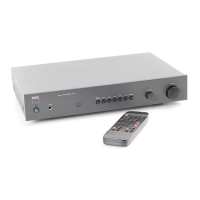
In the unlikely event you should encounter problems with the opertion of the NAD Model 118 preamplifier, the trouble
shooting guide can help find the cause and rectify it before consulting your dealer.
SYMPTOM CAUSE REMEDY
Unit doesn't work; Mains plug not connected Check if mains plug is inserted in live wall socket.
power LED (1) doesn't light up to live wall socket
Power LED (1) is lit but no sound. Wrong input selected Select input to which source is connected
Source not connected to input Check connection from source to appropriate input
Tape Check 1 or 2 (8 or 13) Press the Tape Check button in which the LED is lit
selected (amber LED in button to dis-engage
is lit) without signal present.
Volume control (22) turned Turn Volume control up to appropriate level
down
Power amp not turned on Turn on power amplifier
Power amp not connected Connect power amp.
Despite Volume control turned Input sensitivity for analogue Adjust input sensitivity for appropriate analogue
way up only a little bit of sound source has been set too low source
High Gain (21) hasn't been Switch High Gain on
engaged
Power amp and speaker Set Sensitivity switch to "Normal" position
combination too insensitive;
Sensitivity switch (16 on back
panel) set to "High" position
No sound in one channel Faulty connection from source Check connection between source and pre-amp
(with analogue sources only) to input
(All digital and analogue sources) Faulty connection from Check connection between pre-amp and power amp
analogue pre-amp output to
power amplifier input
Faulty connection between Check connection between power amp and
power amp and loudspeaker loudspeaker
Balance set to one channel Check setting of balance control
only
No sound with digital source; Faulty connection from Check connection between source and pre-amp.
LED in input button blinks source to input
Wrong type of cable Use cable with 75 ohm impedance
Remote control, Buttons and The pre-amp has "locked Switch off pre-amp completely; switch on again after
controls have stopped working up" due to static electricity. several seconds.
Remote control does not work Distance from remote control Operate remote control from closer distance (within
or intermittently. to pre-amp is too large 8mtr/ 25ft.)
Angle of operation to pre-amp Operate remote control within a narrower angle
is too large to the pre-amp (within 90 from front panel)
Batteries flat Replace batteries
Batteries have been inserted Insert batteries correctly
the wrong way
Line-of-sight from remote Ensure that the IR. emitter at the front of the remote
control IR. emitter to pre-amp's control has a clear line-of-sight to the IR. receiver
built-in IR. receiver is blocked (located in the display panel; 26) of the pre-amp
All input selector LEDs are flashing The pre-amp has inadvertent- DO NOT press any of the input selector buttons,
ly been set in configuration as this may change the configuration. Press any of
mode. the other buttons on the front panel (apart from High
Gain) to resume normal operation.



 To Next Page