GB
7
TROUBLESHOOTING
NO SOUND • Power AC lead unplugged or power not
switched on
• Tape 1 Monitor selected
• Mute on
• Power amplifier is switched off
• Headphones inserted
• Check if AC lead is plugged in and
power switched on
• De-select Tape 1 Monitor mode
• Switch off Mute
• Switch power amplifier on
• Unplug headphones
Problem Cause Solution
NO SOUND ONE CHANNEL • Balance control not centered
• RCA lead to power amplifier not
properly connected or damaged.
• Input lead disconnected or damaged
• Center Balance control
• Check leads and connections
• Check leads and connections
PROBLEM ON PHONO INPUT ONLY • No signal
• Hum on Phono input.
• Weak or Distorted signal
• Check MM-MC switch set correctly
• Check phono earth lead is connected
• Check the turntable is connected to the
correct MM or MC phono input
REMOTE CONTROL HANDSET NOT
WORKING
• Batteries flat, or incorrectly inserted
• IR transmitter or receiver windows
obstructed
• IR receiver in direct sun or very bright
ambient light
• Check or replace batteries
• Remove obstruction
• Place unit away from direct sun, reduce
amount of ambient ligh
MASTER VOLUME
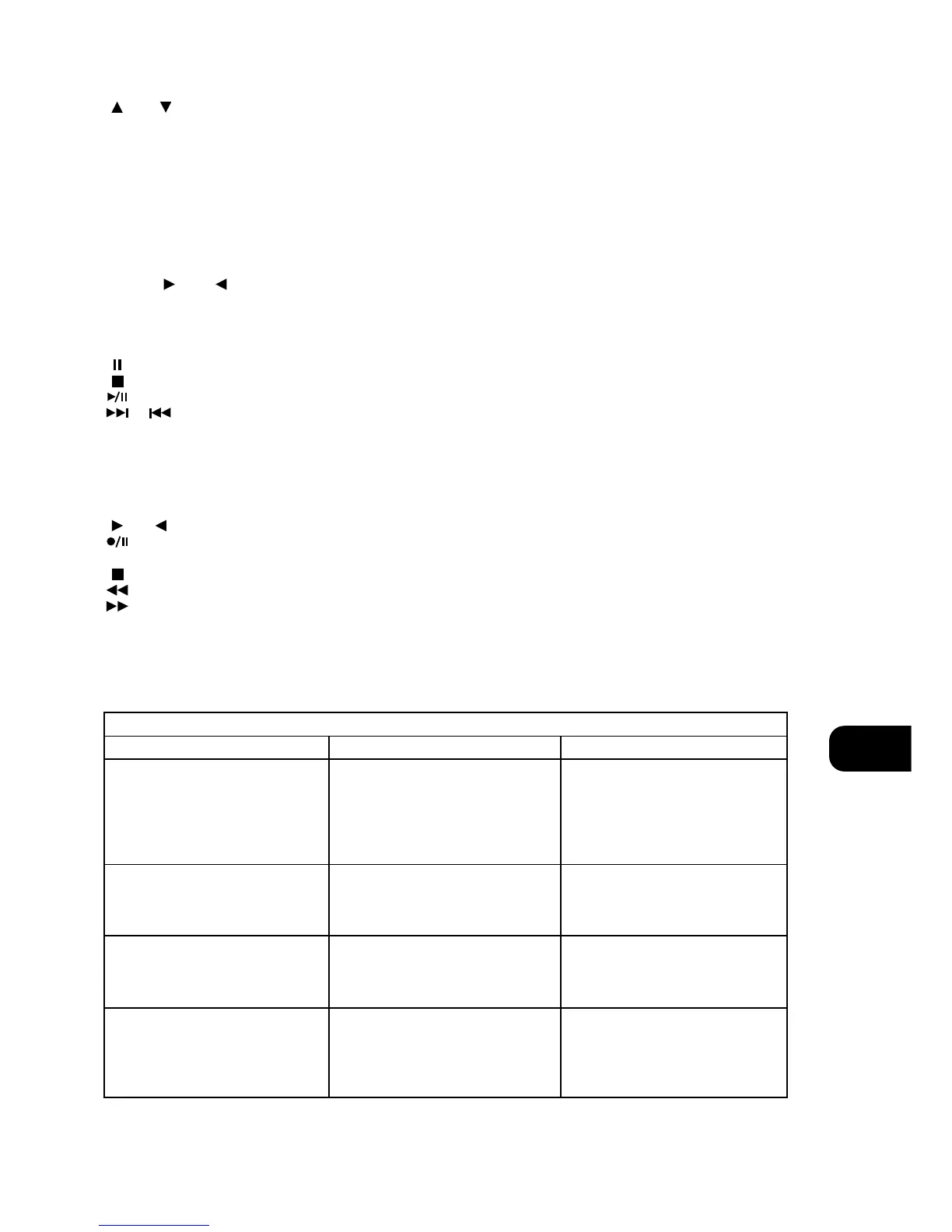
or respectively increases or decreases the Volume
setting. The motorised Volume Control on the front panel will
indicate the level set.
Other than the commands relating to the NAD C160 amplifier
itself, there are other buttons which will operate most NAD CD
players and Cassette decks equipped with NAD Link:
TUNER CONTROL
(for use with NAD Tuner)
BANK selects a bank of preset stations.
PRESET or selects respectively higher or lower
number station preset.
CD PLAYER CONTROL
(for use with NAD CD Player)
engages Pause.
engages Stop.
engages Play or toggles between Play and Pause.
or
engages Track skip; Press once to respectively go to
the next track or to return to start of current or previous track.
NEXT DISC Go to next disc (for NAD CD changers).
CASSETTE DECK CONTROL
(For use with single (DECK B) or double transport (A and B) NAD
Cassette Decks)
or engages Forward Play or Reverse Play.
Record / Pause. Press to put cassette deck into record-
pause. Press Play to start recording.
stops Play or Recording.
engages Rewind.
engages Fast Forward.
NOTE: Direct sunlight or very bright ambient lighting may affect
the operating range and angle for the remote control handset.
BI-AMPING
Some loudspeakers have separate connection terminals for the LF
(Low Frequency) and HF (High Frequency) sections of the
speaker. This facility allows to “Bi-amp” these speakers, where a
separate power amplifier is used for the LF and HF section, which
may improve overall sound quality.
The NAD C160 provides two sets of pre amplifier outputs (PRE
OUT 1 & 2) to facilitate the connections for Bi-amping. Moreover,
the level from PRE OUT 2 can be reduced in relation to PRE OUT
1 to accommodate power amplifiers with different gain
(amplification factor).
To set up the C160 with power amplifiers first decide which power
amplifier has the highest gain. This is easily done by comparing
the loudness level of the power amplifiers in an identical system
(keep the volume control at the same level; use the same source
and speakers). The amplifier that plays louder has the highest
gain (note that this does not need to be the more powerful
amplifier of the two).
Connect the amplifier with highest gain to the PRE OUT 2 (No. 12)
sockets; the other power amplifier to the PRE OUT 1 (No. 11)
sockets.
From the maximum level position (0dB), use the VOLUME PRE
OUT 2 control (No. 13) to reduce the output level of PRE OUT 2
so that the volume level of both power amplifiers is exactly
matched.


 To Next Page