EasyManua.ls Logo

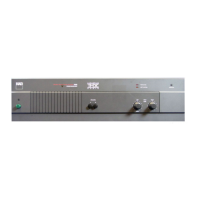
NAD 2155 - Speakers B; Status Indicators; Speaker Selector

NAD 2155
12 pages
Print Icon
To Next Page IconTo Next Page
To Previous Page IconTo Previous Page
Loading...
To
facilitate
this,
the
two
conductors
comprising
the
speaker
wire
in
each
channel
are
different,
either
in
the
color
of
the
wire
itself
(copper
vs.
silver)
or
in
the
presence
of
a
small
ridge
or
rib
pattern
on
the
insulation
of
one
conductor.
Use
this
pattern
to
establish
consistent
wiring
to
both
speak-
ers
of
a
stereo
pair.
Thus
if
you
connect
the
copper
colored
wire
(or
ribbed
insulation)
to
the
red
amplifier
terminal
in
the
Left
channel,
do
the
same
in
the
Right
channel.
At
the
other
end
of
the
wire,
if
you
connect
the
copper
colored
wire
(or
the
ribbed
insulation)
to
the
red
or
positive
terminal
on
the
left-channel
speaker,
do
the
same
at
the
right-
channel
speaker.
8.
SPEAKERS
B
A
second
pair
of
loudspeakers
may
be
connected
to
the
amplifier,
using
the
“B”
group
of
terminals,
in
the
same
manner
as
the
connections
made
to
the
SPEAKERS
A
terminals.
If
the
second
pair
of
speakers
is
located
near
the
first
pair
and
will
be
played
simultaneously,
then
they
must
be
correctly
phased
with
respect
to
the
first
pair
as
well
as
with
each
other.
But
if
the
second
pair
of
speakers
is
located
away
from
the
first
pair
(in
another
room,
for
example)
or
will
not
be
played
at
the
same
time
as
the
first
pair,
then
their
phasing
need
not
match
that
of
the
first
pair.
Of
course,
as
with
any
stereo
speakers,
the
second
pair
still
must
be
in
phase
with
each
other.
The
SPEAKERS
B
terminals
may
also
be
used
to
connect
an
adapter
unit
for
electrostatic
headphones.
The
black
“—”
terminals
in
each
channel
share
a
common
ground.
Another
useful
option
for
the
SPEAKERS
B
terminals
is
to
connect
a
second
pair
of
speakers
wired
for
“ambience
recovery,”
enhancing
the
apparent
spaciousness
of
stereo
recordings.
Locate
a
pair
of
small
loudspeakers
along
the
side
walls
of
the
listening
area,
slightly
behind
the
main
listening
area
and
as
far
as
possible
to
the
left
and
right.
(Often
it
useful
to
aim
such
speakers
upward
or
toward
the
rear,
so
that
their
sound
reflects
randomly
off
the
walls
before
reaching
you.)
Connect
a
wire
from
the
(L+)
terminal
to
the
positive
terminal
of
the
left-rear
speaker,
and
a
second
wire
from
the
(R+)
terminal
to
the
positive
terminal
of
the
right-rear
speaker.
Make
no
connection
to
the
(L—)
and
(R—-)
terminals
on
the
amplifier;
instead,
connect
a
wire
from
the
negative
terminal
of
the
left-rear
speaker
to
the
negative
terminal
of
the
right-rear
speaker.
Thus
wired,
these
rear
speakers
receive
the
left-minus-right
“difference”
portion
of
the
composite
stereo
signal.
FRONT
PANEL
CONTROLS
1.
POWER
Depress
this
button
to
switch
on
the
amplifier
and
any
other
equipment
plugged
into
the
SWITCHED
convenience
outlet
on
the
rear
panel.
To
switch
the
power
off,
depress
the
button
again
and
release
it.
If
you
prefer,
you
may
leave
the
POWER
switch
perma-
nently
engaged
and
turn
the
power
on
and
off
via
a
switched
AC
outlet
in
your
preamplifier.
2.
PHONES
Plug
stereo
headphones
in
here.
The
circuit
will
provide
proper
drive
signals
for
all
conventional
stereo
headphones
regardless
of
their
impedance,
with
just
one
exception:
electrostatic
headphones
usually
are
supplied
with
an
adapter
unit
which
must
be
connected
directly
to
the
speaker
terminals
on
the
rear
panel.
Before
plugging
any
headphones
in,
turn
down
‘the
VOLUME
control
for
safety.
And
when
you
are
not
listen-
ing
to
the
headphones
it
is
wise
to
unplug
them
from
the
PHONES
jack.
Otherwise,
when
not
wearing
the
phones
you
might
inadvertently
turn
up
the
volume
to
a
high
level
and
feed
dangerously
strong
signals
to
the
headphones.
You
may
freely
use
headphone
extension
cables.
If
you
want
to
use
a
headphone
Y-connecior
to
drive
two
headsets
simultaneously,
they
should
be
identical
models.
Connecting
together
two
headphones
that
differ
widely
in
impedance
usually
will
produce
a
substantial
loss
of
volume
in
the
headset
having
the
higher
impedance
(or
in
both).
NOTE:
The
PHONES
jack
is
intended
for
use
only
in
the
normal
stereo
mode
of
the
amplifier.
In
the
“bridged”
mono-
phonic
mode
the
PHONES
jack
will
receive
only
an
out-of-
phase
mono
signal.
3.
STATUS
INDICATORS
These
three
lights
provide
information
on
the
status
of
the
amplifier.
The
red
POWER
indicator
illuminates
when
the
amplifier
is
on.
The
PROTECTION
indicator
illuminates
when
the
output
transistors
overheat
as
a
result
of
prolonged
operation
at
excessively
high
continuous-output
levels
or
into
very
low
impedances.
If
this
occurs
the
sound
will
automatically
be
silenced.
Switch
off
the
power;
when
the
output
stage
cools
the
protection
relay
will
click
off,
and
normal
operation
can
be
resumed.
The
SOFT
CLIPPING
indicator
illuminates
when
the
Soft
Clipping
switch
(on
the
rear
panel)
is
engaged.
4.
SPEAKER
SELECTOR
When
only
button
“A’
is
engaged,
sound
is
heard
only
from
the
loudspeakers
connected
to
the
SPEAKERS
A
terminals
on
the
rear
panel.
When
only
button
“B”
is
de-
pressed,
the
SPEAKERS
A
terminals
are
shut
off
and
sound
is
heard
only
from
the
loudspeakers
connected
to
the
SPEAKERS
B
terminals.
If
A
and
B
are
both
pressed,
the
amplifier’s
output
power
is
fed
to
both
sets
of
speakers
in
parallel.
If
both
A
and
B
are
disengaged
(with
the
buttons
OUT),
both
sets
of
speakers
are
silenced.
Thus
if
you
have
your
main
stereo
speakers
wired
to
the
“A’
terminals
and
a
set
of
extension
speakers
wired
to
the
“B”
terminals,
you
can
choose
to
hear
only
the
main
speak-
ers
(by
pressing
button
A),
only
the
extension
speakers
(by
disengaging
button
A
and
pressing
button
B),
or
you
can
activate
both
by
depressing
both
buttons.
The
amplifier’s
output
signal
is
present
at
the
PHONES
jack
at
all
settings
of
these
buttons.
When
using
headphones
it
normally
is
advisable
to
switch
OFF
the
loudspeakers
by
setting
these
buttons
OUT.
Then
your
VOLUME
control
may
freely
be
used
to
adjust
the
loudness
level
in
the
head-
phones
with
no
fear
of
overdriving
the
speakers
or
disturbing
neighbors.
If
you
have
connected
an
adapter
unit
for
electrostatic
headphones
to
the
SPEAKERS
B
terminals,
you
can
use
the
SPEAKERS
switches
to
select
your
main
stereo
speakers
(A)
or
the
headphones
(B).
5
If
you
have
connected
speakers
wired
for
“ambience
recovery”
to
the
SPEAKERS
B
terminals,
you
can use
the
SPEAKERS
pushbuttons
to
listen
to
conventional
stereo
(A
only),
to
switch
off
the
main
speakers
and
listen
only
to
the
stereo
L-minus-R
“difference”
signal
in
the
rear
speakers
(B
only),
or
to
listen
to
spatially
enhanced
stereo
(both
A
and
B
depressed).
You
will
find
that
the
stereo
difference
signal
is
usually
lacking
in
bass.
If
the
difference
signal
is
very
weak,
the
recording
lacks
stereo
separation.

Other manuals for NAD 2155

Related product manuals