www.SteamPoweredRadio.Com
accidentally touch power lines, either while you are installing
it
or later.
2. Include a lightning arrestor
in
the installation, to
protect both yourself and the tuner circuit from potential
danger during electrical storms.
3.
OUTPUT JACKS
Connect a stereo patch cord from the Left and Right
output jacks to the corresponding Tuner input jacks on
your amplifier.
4.
OUTPUT LEVEL
This control varies the volume level of the tuner's output.
You
may leave it set at maximum, or you may use this
control to adjust the tuner's output so as to minimize any
change
in
volume level when you switch your amplifier
from PHONO to TUNER.
5.
AC
LINE CORD
Plug the AC line cord into a Switched outlet on your
amplifier, or into any AC wall outlet that provides the correct
power-line voltage.
4
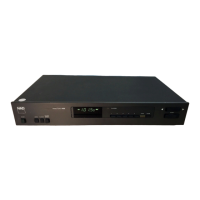
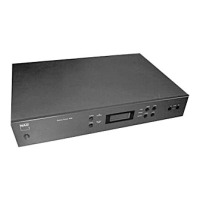
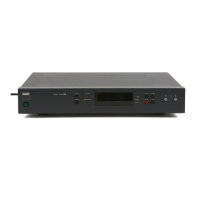
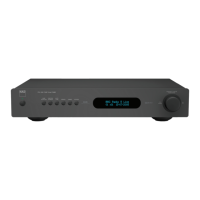
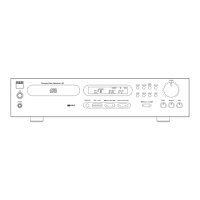
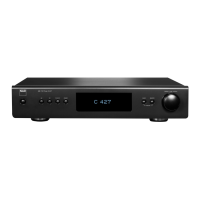
FRONT PANEL CONTROLS
1.
POWER
Depress this button to switch on the power. The fre-
quency display will illuminate when the power
is
on.
To
switch the power off, press the button again and release
it.
In
many installations it may
be
more convenient
to
leave
the tuner's POWER switch permanently engaged, letting the
tuner be turned on and
off
by a "switched" convenience
outlet on your amplifier.
If
you prefer, you may plug the tuner's AC line cord into
an Unswitched outlet or directly into a wall socket, and leave
it
permanently turned on. The tuner's power consumption
is
very low, so the cost of leaving
it
always on would be only a
few dollars per year; and the useful life of the tuner would
not be shortened by leaving
it
on.
2.
MONO
The MONO button disables the stereo
FM
circuits
in
the tuner.
Normally the tuner receives monophonic
FM
transmis-
sions
in
mono and automatically switches on its multiplex
decoding circuits when a stereo
FM
broadcast
is
received
(as shown by the
FM
STEREO indicator). But when a very
weak
FM
stereo signal is received, it may be excessively
noisy because of the multiplex encoding technique used for
stereo broadcasting.
In
that case, depress the MONO button
to lock the tuner
in
the mono mode,
in
order to obtain
consistently quieter and cleaner sound.
Remember to disengage the MONO button when you
re-tune to a stronger signal. As long as the MONO button
is
engaged,
no
broadcasts can be received
in
stereo.
3.
FM MUTE
The
FM
muting circuit silences the noise that
is
heard
when tuning between
FM
stations.
It
also prevents the
reception of
FM
broadcasts that are too weak to be accept-
ably quiet and distortion-free.
If
you want to pick up very
weak
FM
signals, the muting must
be
disengaged
(button OUT).
4.
DYN SEP DEFEAT
The tuner contains a "dynamic separation" circuit that
reduces noise
in
weak
FM
stereo signals by selectively
reducing the high-frequency stereo separation at times when
there
is
no significant high-frequency stereo information
in
the signal (especially during the quiet moments and pauses
in
the music, when any background noise would
be
most
obtrusive). Wide stereo separation
is
restored instantly
in
the
tuner whenever significant stereo separation occurs
in
the
broadcast signal, and whenever the music
is
loud enough to
"mask" the unwanted background hiss.
The dynamic separation circuit operates only on those
weak stereo
FM
signals that would
be
noisy without it.
It
does not affect the reception of strong signals.
If
you wish to turn off the dynamic separation circuit,
depress the DYN SEP DEFEAT button. Normally you will
not hear an obvious difference when this button
is
pressed,
since most broadcast signals are strong enough to disen-
gage the circuit automatically.
5.
TUNING DISPLAY
This display
is
in
three parts: frequency, signal strength,
and tuning.
Frequency. The display shows the tuning band and the
frequency to which the tuner
is
set, for example "
FM
103.?o
MHz" or "AM
1290
kHz
."
The fifth digit of the
FM
frequency
display
is
reduced
in
size and brightness.
In
Europe and
elsewhere the fifth digit will be either
O
or 5 since the tuning
increment
is
0.05
MHz.


 To Next Page
 Loading...