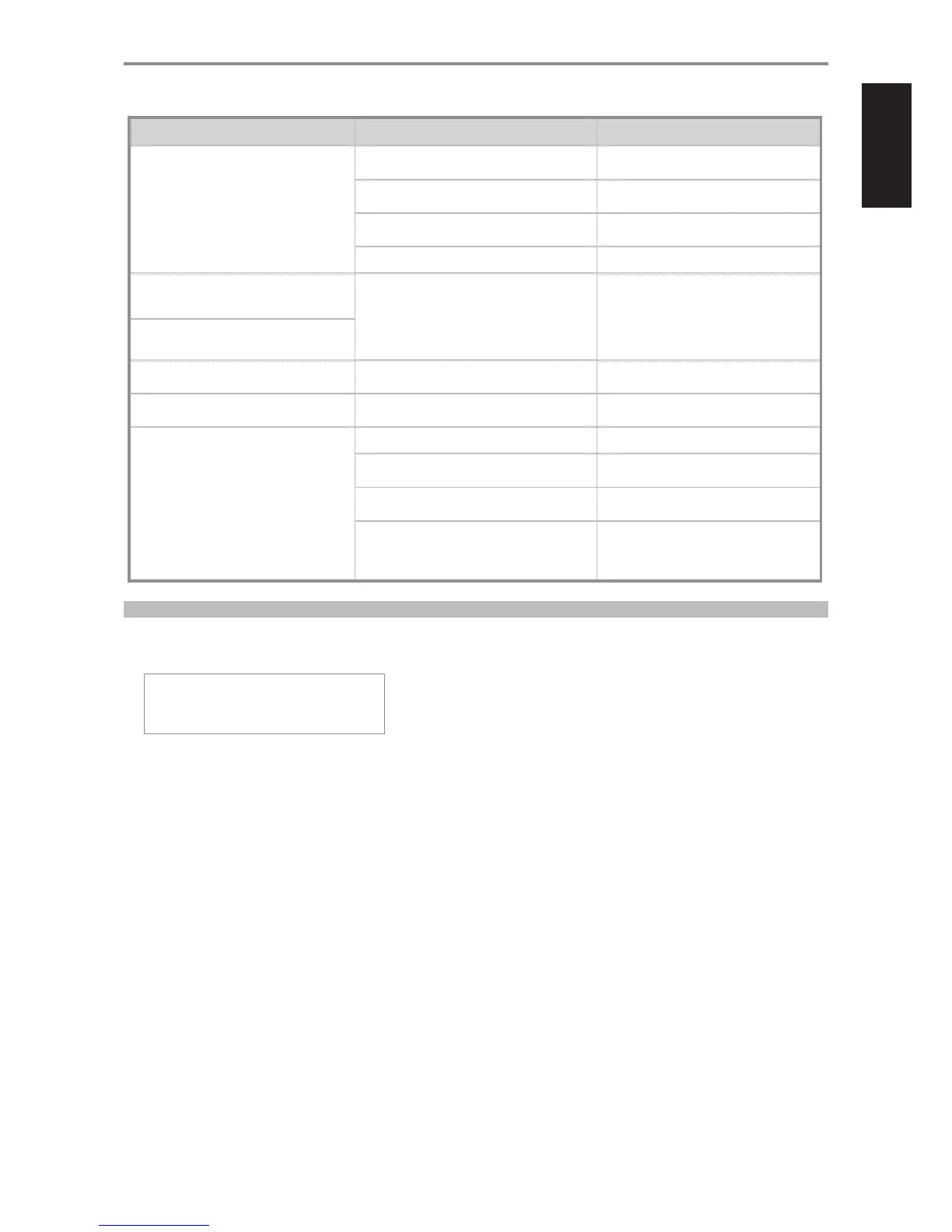
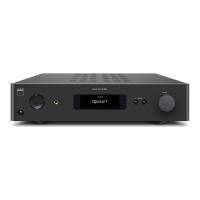
CONDITION POSSIBLE CAUSES POSSIBLE SOLUTIONS
No USB audio. • NAD USB Audio is not installed in your PC. • Download NAD USB Audio driver from NAD
website and install to your PC.
• Sound or Audio device setting of your PC or
Mac is not set to “NAD Audio 2.0 Output”.
• Set your PC or Mac Audio or Sound device
setting to “NAD Audio 2.0 Output”.
• No music les being played back from your PC
or Mac.
• Playback a music le from your computer.
• Mac OS not updated to include NAD USB Audio. • Download latest update for your Mac OS.
Remote control’s [VOL 5/6] no function. • “Volume Setup” is set to “Fixed”. • Set “Volume Setup” to “Variable.
Remote control’s [MUTE] no function.
Cannot power ON the M51. • Rear panel POWER switched o. • Set to “ON” the rear panel POWER switch
and then press front panel Standby button.
VFD is dim. • Low brightness level of VFD is selected. • Toggle [DIM] button until desired
brightness level.
M51 does not respond to remote control
commands.
• Batteries are at or incorrectly inserted. • Check batteries.
• Infrared receiver (IR) window of M51 or IR
transmitter of the remote control is obstructed.
• Check IR windows and ensure clear line-of-
sight from remote to M51.
• M51 front panel is in very bright sunlight or
ambient light.
• Reduce sunlight/room lighting.
• Remote control is set to M50 Digital Music
Player remote control codes.
• Switch remote control codes to M51 Direct
Digital DAC. Press and hold “5” and “1” at the
same time until the remote control’s blue
transmit LED ashes twice.
RESTORING M51 TO ITS FACTORY DEFAULT SETTINGS
1 Press and hold front panel [INPUT] button.
2 Set to ON the rear panel POWER switch while still holding on to [INPUT] button.
3 VFD illuminates. Release [INPUT] button. VFD will show
SETUP VFD TEST
V1.xx RESET
“VFD TEST” is ashing. V1.xx stands for the software version.
4 Within 3 seconds, press front panel Standby button and “RESET” will now ash.
5 M51 will go to reset mode with the VFD showing “Factory Reset..”.
The M51 is now reset and will automatically shut down.
REFERENCE
TROUBLESHOOTING
11


 To Next Page