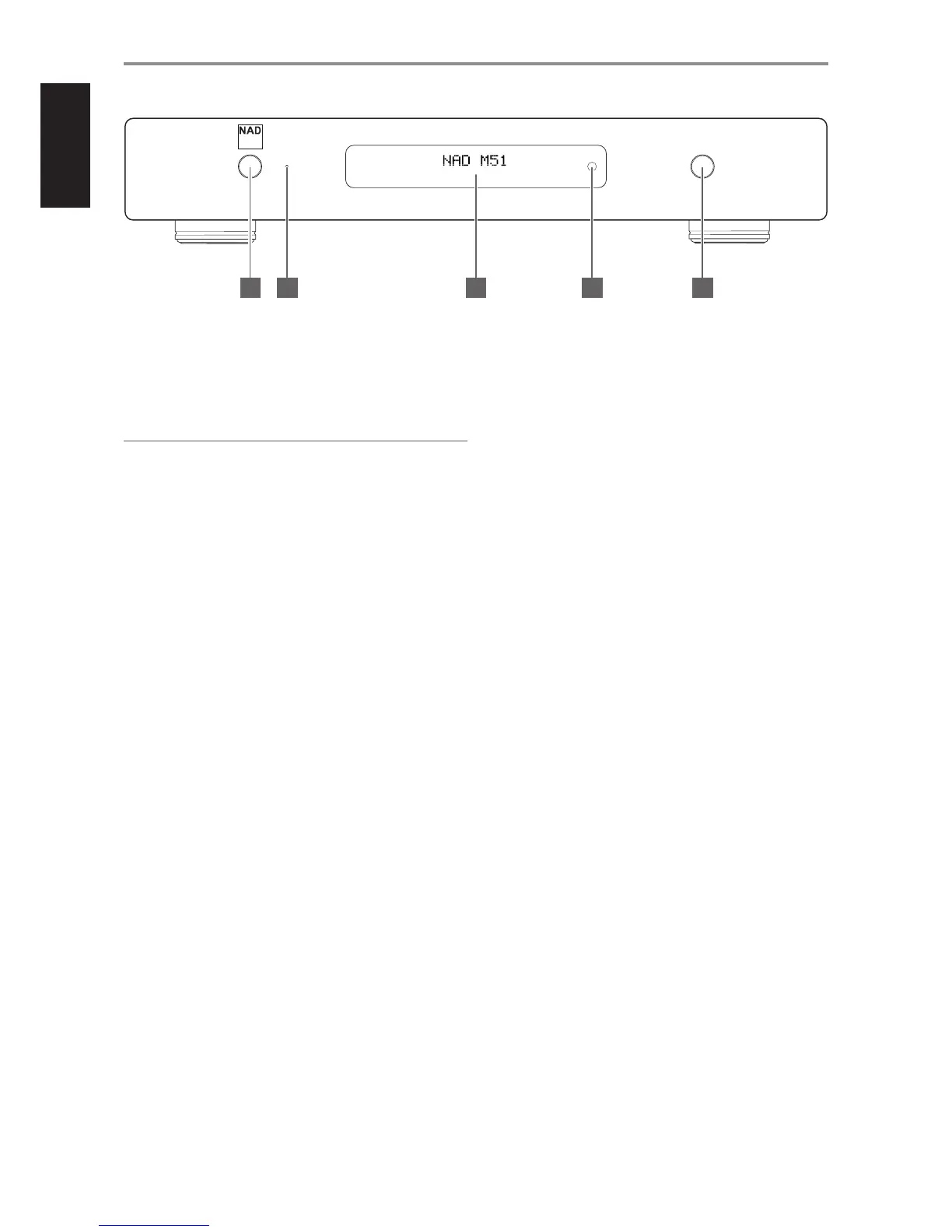
1 STANDBY BUTTON
• Press this button to switch ON the M51 from standby mode. The
Standby LED indicator will turn from amber to blue and illuminate
the VFD.
• Pressing the STANDBY button again turns the unit back to standby
mode.
NOTE
In order to turn ON the M51 from standby mode or back to standby
mode, the rear panel POWER switch must be in the ON position.
2 STANDBY LED
• This indicator will light up amber when the M51 is at standby mode.
• When the M51 is powered up from standby mode, this indicator will
illuminate blue.
3 VACUUM FLUORESCENT DISPLAY (VFD)
• Display visual information about the current Source. Information
supplied is generated by the Source.
• Provide also visual information about M51’s other functions, settings
and indicators.
• “Unlock” is shown among the information displayed if no source
input is connected to the particular Source. If a connected source is
detected, the sampling rate will be displayed.
4 REMOTE SENSOR
• Point the M50 remote control at the remote sensor and press the
buttons.
• Do not expose the remote sensor of the M51 to a strong light
source such as direct sunlight or illumination. If you do so, you may
not be able to operate the M51 with the remote control.
Distance: About 23ft (7m) from the front of the remote sensor.
Angle: About 30o in each direction of the front of the remote sensor.
5 INPUT
• Select through active Sources.
• Toggle this button to select through the following sources -
AES/EBU, Coaxial, Optical, USB, HDMI 1 and HDMI 2.
IDENTIFICATION OF CONTROLS
FRONT PANEL
direct digital DACM51
input
© NAD M51
4 51 2 3
6


 To Next Page