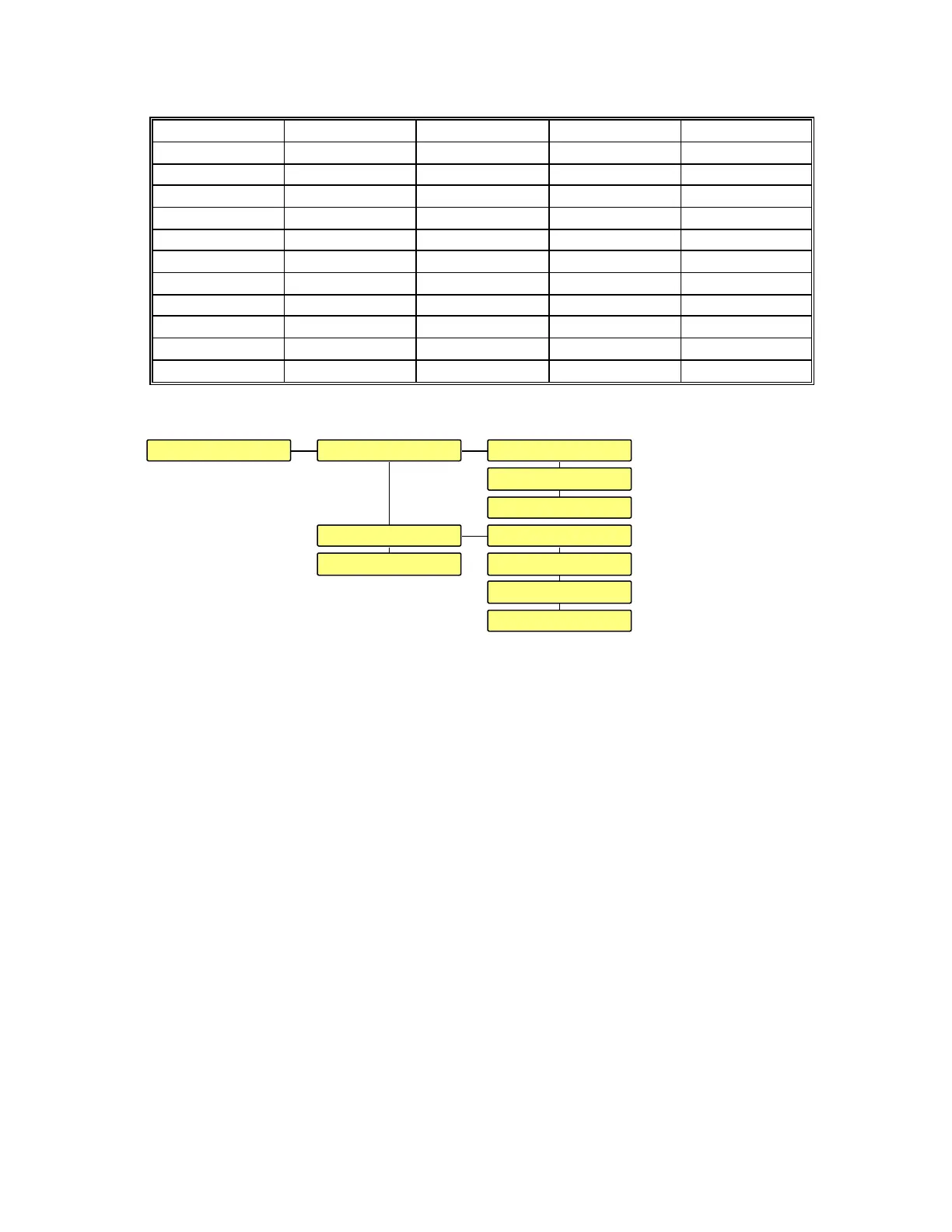
The following table shows the list of names directly available:
AES C SPDIF INPUT B OPTICAL TUNER 2
ANALOG DAT INPUT C RCA TV
A RCA D RCA INPUT D SACD VCR
AUX D SPDIF INPUT E SACD 1 VCR 1
AUX 1 DVD INPUT F SACD 2 VCR 2
AUX 2 DVD 1 INPUT G SPDIF XLR
A XLR DVD 2 LD TAPE
B RCA E OPTICAL LD 1 TAPE 1
B SPDIF E TOSLINK LD 2 TAPE 2
CD 1 F AES ND TOSLINK
CD 2 F XLR NAGRA D TUNER
C RCA INPUT A NAGRA V TUNER 1
3.2.2 FRONT PANEL.
The FRONT PANEL menu gives access to adjust several parameters concerning the
LCD display and the LEDS.
The LCD display can be set to BLANKING ON or OFF. If it is set to ON and in the
mean time any key was pressed, the backlight of the display turns OFF after 3 seconds. If
any key is pressed, it turns on again for 3 seconds.
The BACKLIGHT intensity can be adjusted in a range from 20 to 100 %.
The CONTRAST can be adjusted in a range from 30 to 100 %.
The LEDS can be set to BLANKING ON or OFF. If it is set to ON and in the mean
time any key was pressed, all led’s will turn OFF after 3 seconds.. If any key is pressed
they turn ON again for 3 seconds. The LED’s on the main panel cannot be blanked.
The brightness INTENSITY can be adjusted in a range of 20 to 100 %.
The MODULO MODE can be set to ROW, DOT or OFF. When set to ROW, the
more sound level at the input, the more LEDS are turning ON. When set to DOT, only
one LED is moving on the modulometer scale. When set to OFF, no LEDS on the
modulometer will turn ON.
The MODULO SENSE menu gives the possibility to select the source signal for the
modulometers. When set to DIG, the modulometers are showing the present digital
LCDFRONT PANEL BLANKING : OFF
BACKLIGHT : 85 %
CONTRAST : 70 %
BLANKING : OFFLEDS
INTENSITY : 80 %
MODULO MODE : ROW
MODULO SENSE: DIG
CORRECTION: NONE


 To Next Page