22
Nagra – HD DAC
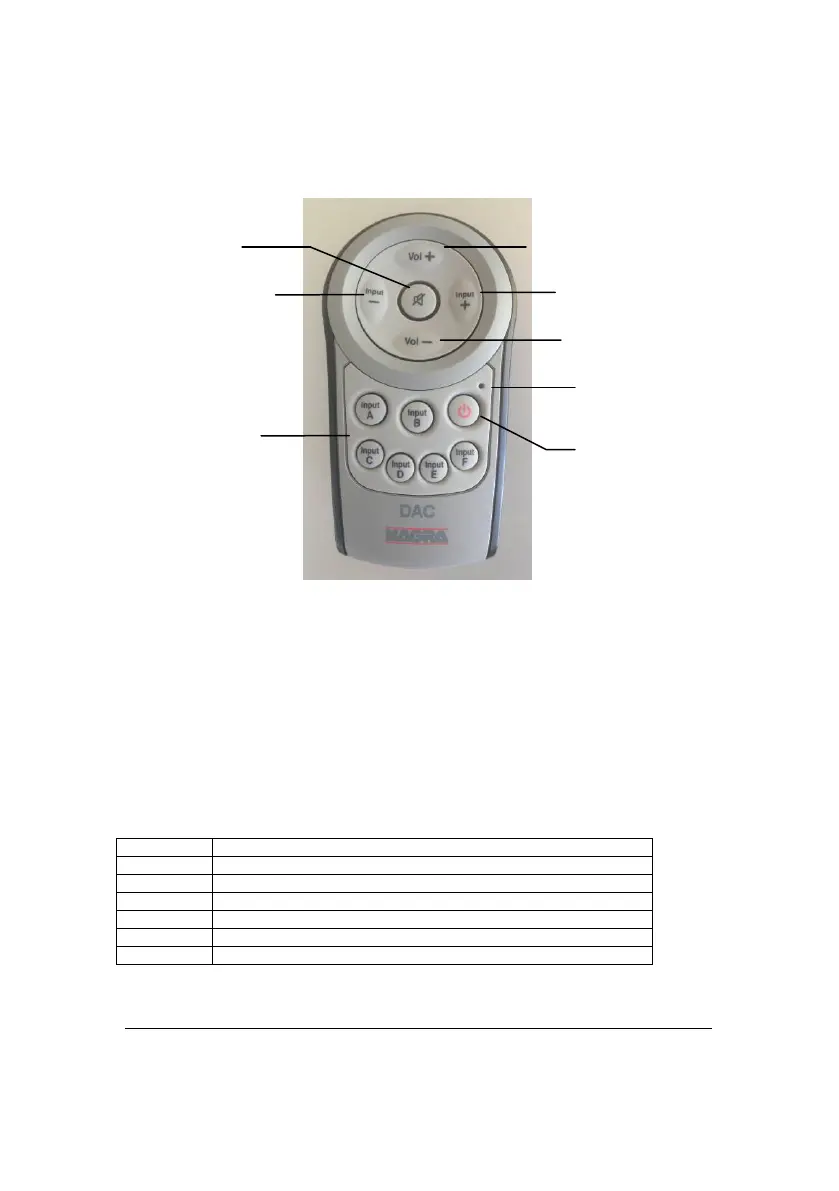
Remote control
The HD DAC comes with a new style remote control.
You may also use the Nagra RCU or RCU-II remote controls. As they use a
different communication protocol, please contact your Nagra dealer to make the
necessary adjustments inside your HD DAC.
Using a “universal remote” with the HD DAC
The HD DAC responds to IR (Infra Red) signals coded in Philips RC-5 format. The
HD DAC is allocated a system number 17 for preamplifiers.
Should you wish to program your universal remote control, please use the
following table:
Input change step-up or step-down
(will blink when a
button is pressed)
A to F



 To Next Page